API Design
APIGit's visual editor lets you design APIs with no OpenAPI syntax knowledge required. Key features include Form View for form-based editing, Code View for direct YAML/JSON control, Realtime Governance for rule checks while you edit, Diff View for reviewing changes, and options for creating or importing specifications.
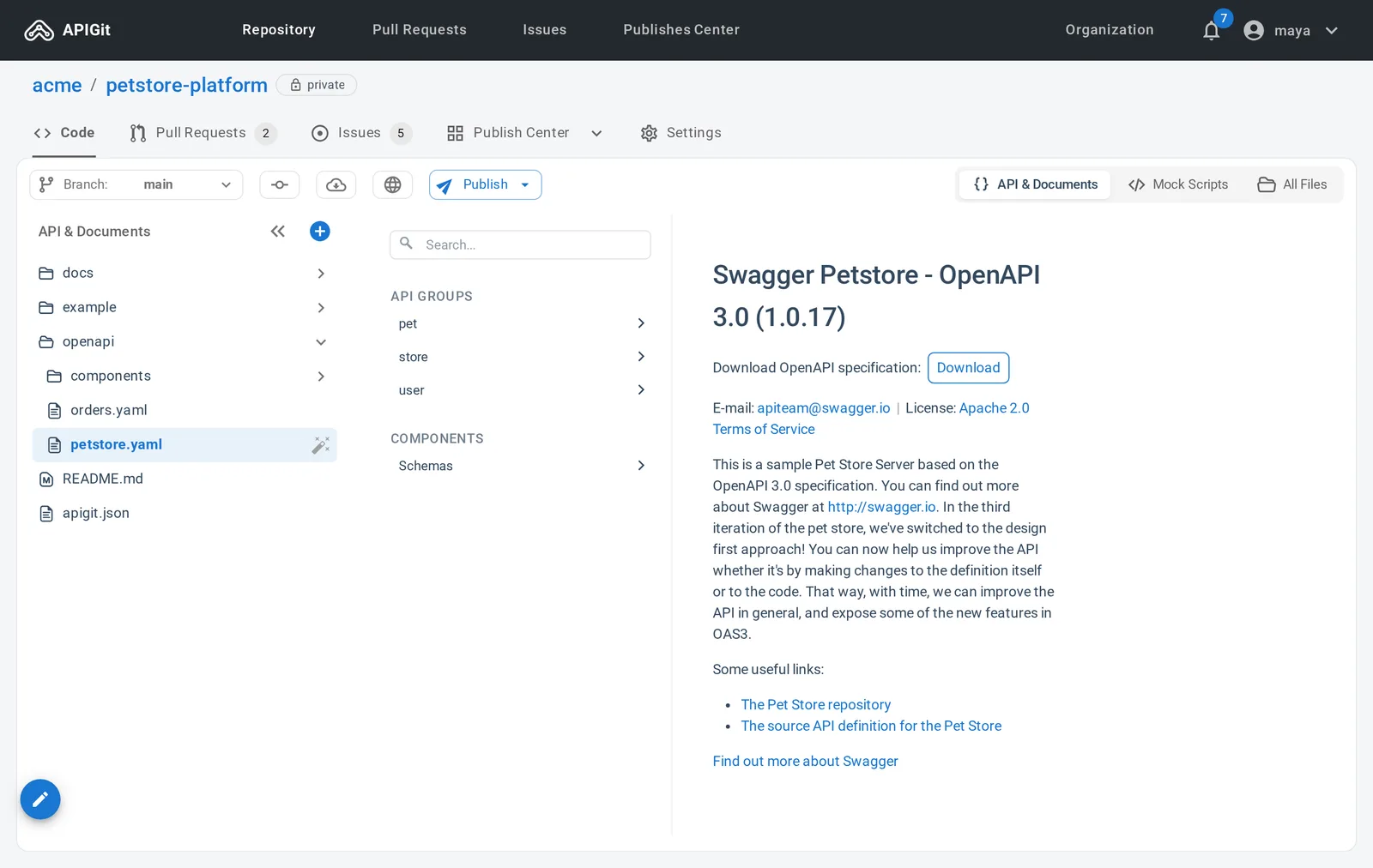
API Spec Editing Mode - Form View
The Form View provides a structured, user-friendly interface for creating and editing API specifications without requiring deep OpenAPI syntax knowledge. It presents form fields for each part of an API, organized by endpoint, so technical and non-technical team members can work on the same spec.
- Intuitive form - no OpenAPI expertise needed
- Paths, webhooks and components in one navigation panel
- Friendly UI makes API design easy for everyone
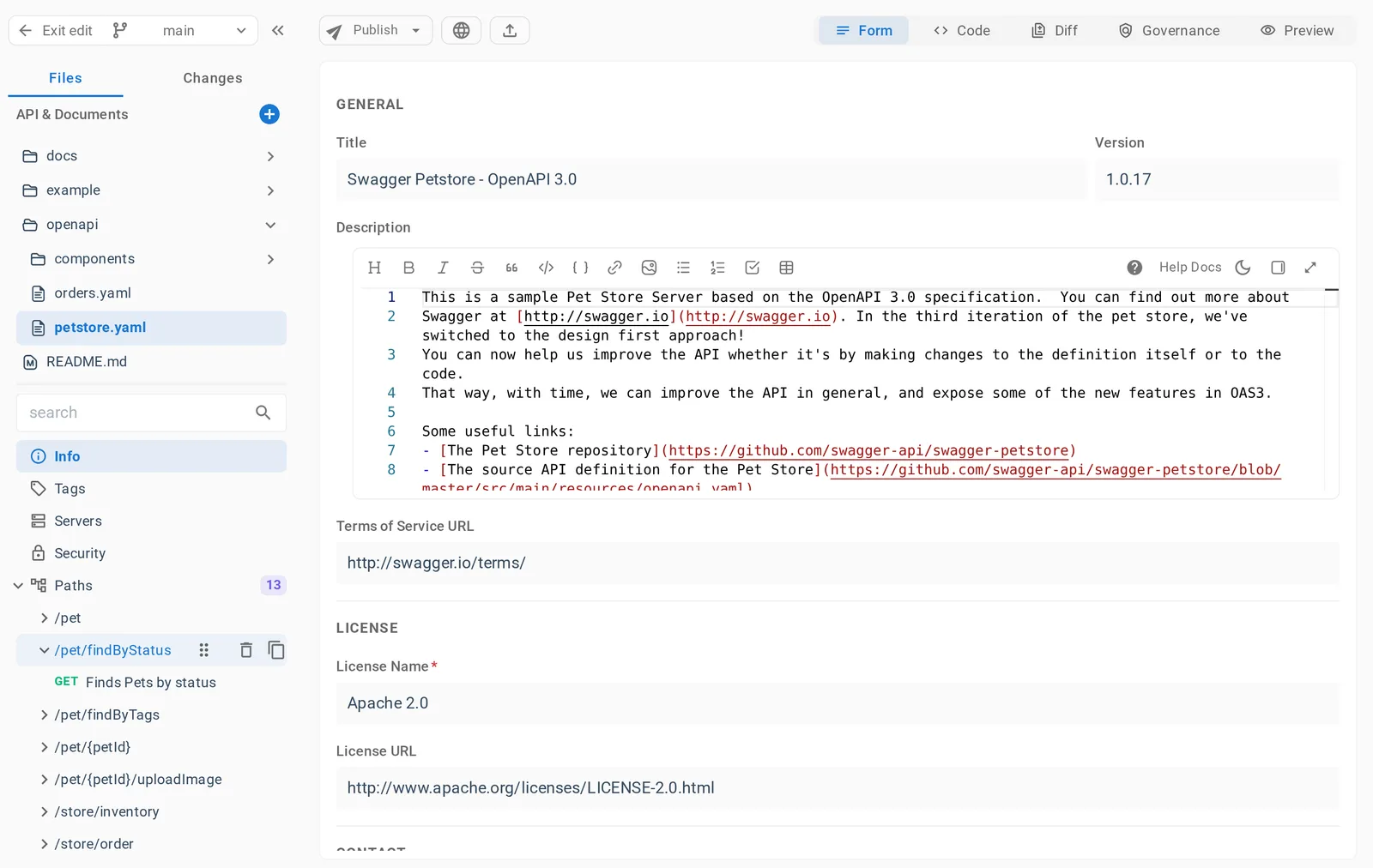
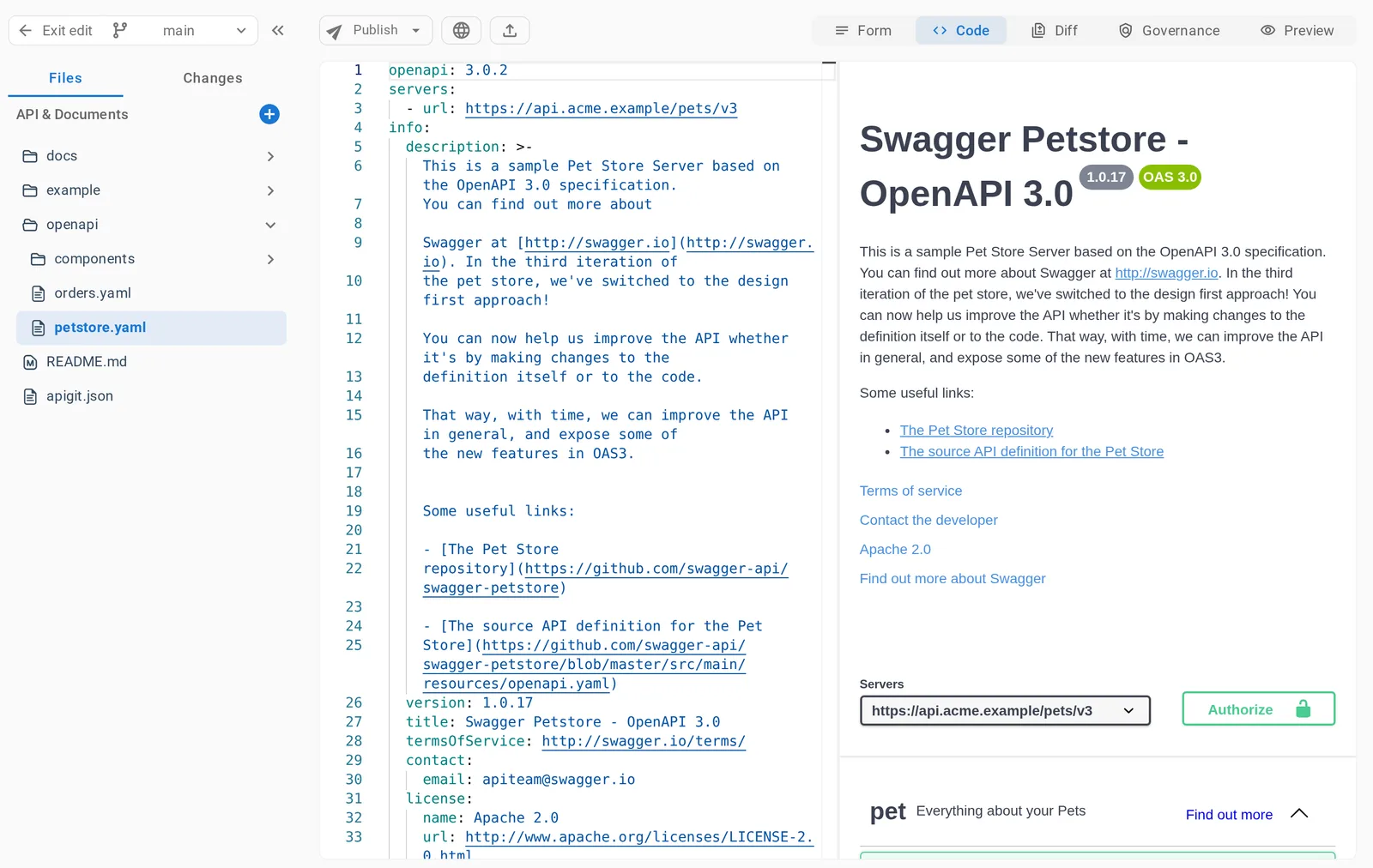
API Spec Editing Mode - Code View
Code View gives you direct access to the raw API specification in YAML or JSON, with syntax highlighting and a Swagger preview next to the editor that updates as you type. This mode is ideal for experienced API designers who prefer working directly with code and need precise control over specification details.
- Directly edit raw YAML/JSON—full control
- Code editor with syntax highlighting
- Swagger preview that updates as you type
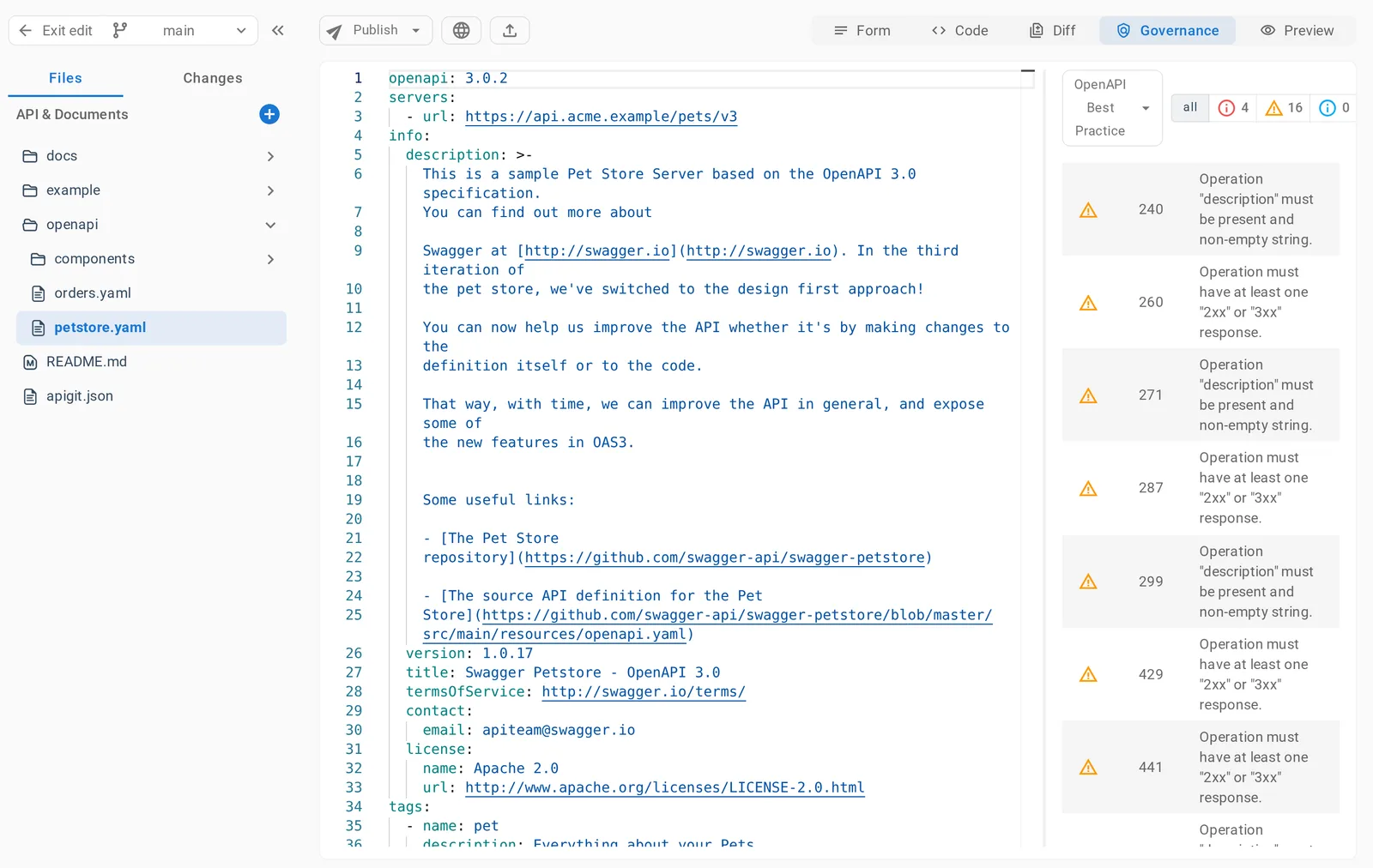
Realtime Governance check while API Editing
The Governance tab checks your API specification against the selected ruleset as you edit and reports the findings next to the code. Click a finding to jump to its line in the specification and fix it without leaving the editor. Findings are advisory: they inform authors and reviewers and do not block a commit or a merge.
- Live standards checks while you edit
- One-click jump to each violation
- See findings before you open a pull request
API Spec Editing Mode - Diff View
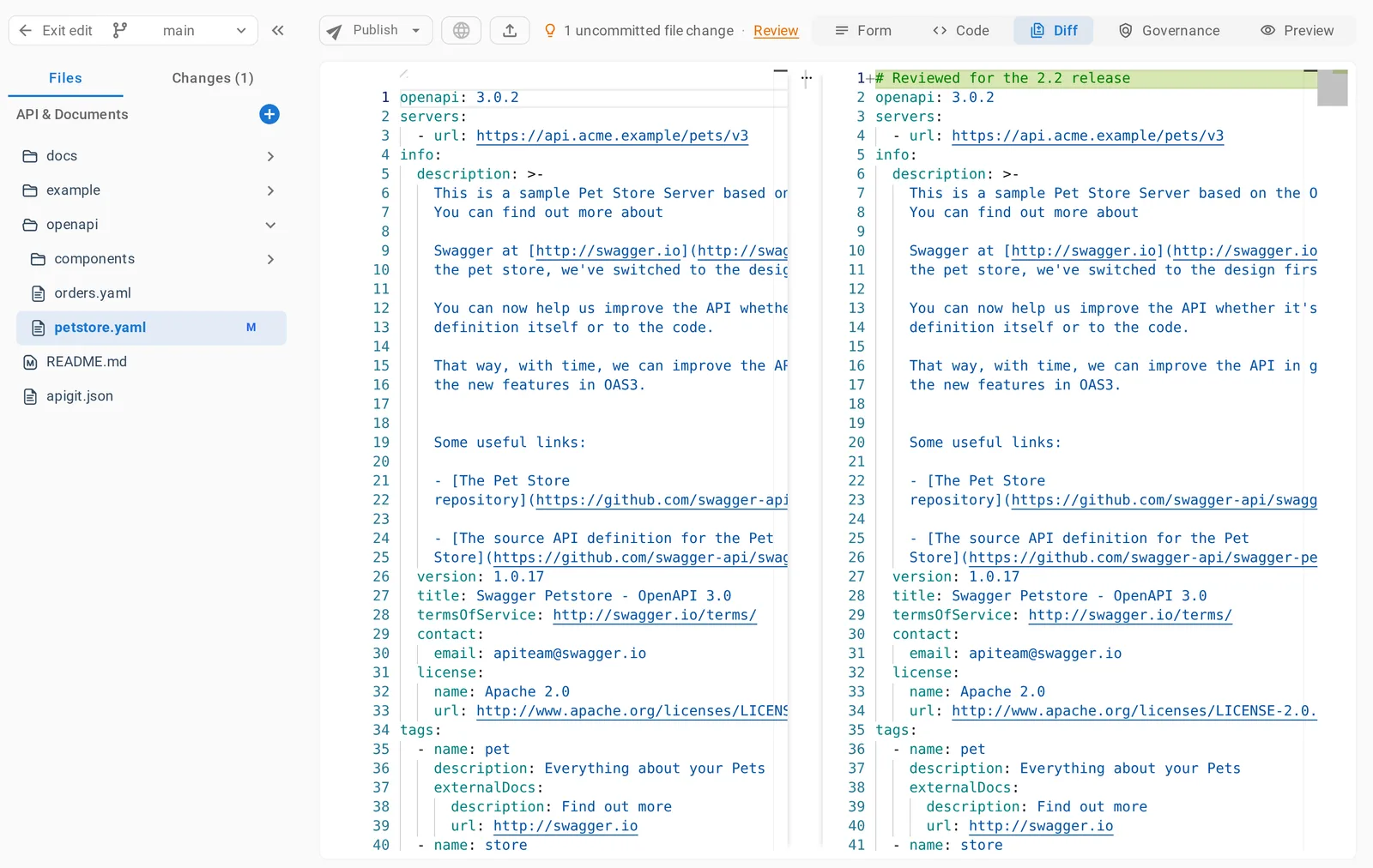
Diff View shows your changes side by side with the spec before them, with additions and deletions highlighted in color. Use it to review what changed before you commit. The right panel stays editable, so you can correct a change as you review it.
- Color-coded side-by-side diff
- Full pre-commit spec review
- Keep editing while you review
Create or Upload API spec
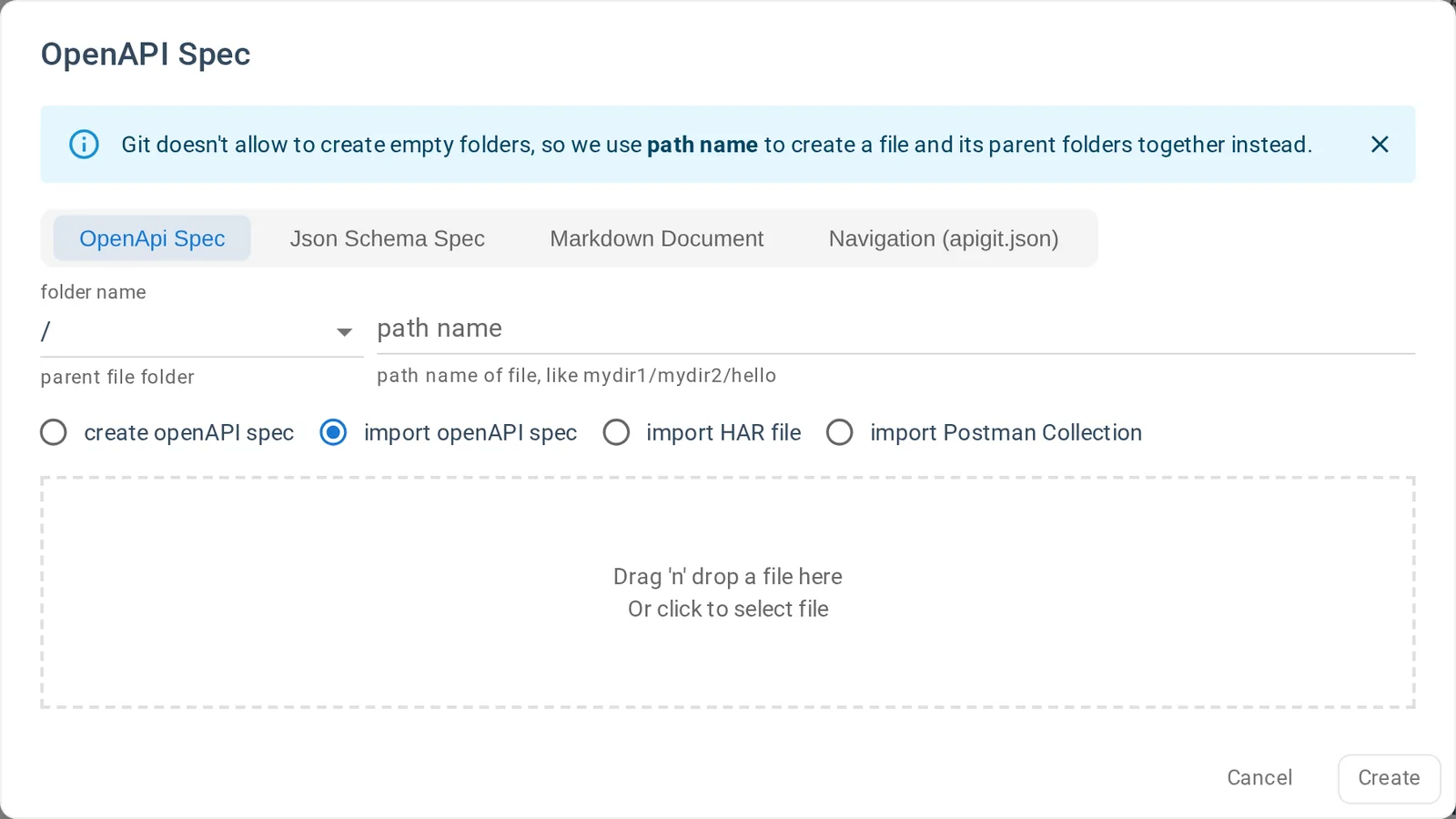
Start a new OpenAPI spec from scratch, or import an existing OpenAPI or Swagger 2.0 file, a HAR file or a Postman collection (v2.0 and v2.1). HAR files and Postman collections are converted to OpenAPI. Organizations on the Enterprise plan can also define spec templates, which their members choose from when creating a spec in an organization repository.
- Import OpenAPI, Swagger 2.0, HAR or Postman
- Organization spec templates on the Enterprise plan
Benefits of APIGit's API Design
Our powerful API design tools provide numerous advantages for development teams
Visual Design
Create and edit OpenAPI specifications with an intuitive visual interface that makes API design accessible to everyone on your team.
Code Flexibility
Switch between visual and code editing modes to suit your preference, with syntax highlighting and a live preview.
Change Visualization
Review modifications through color-coded, side-by-side comparisons before committing changes.
Reusable Components
Define components once and reference them across a spec, or split them into files shared by the specs in a repository.
Governance Checks
Check specifications against rulesets in real time, with direct navigation to each finding.
Flexible Onboarding
Import existing specifications to keep your previous work, or start from a blank spec or an organization template.
Ready to design better APIs with APIGit?
Experience the power of our intuitive API design tools and transform how your team creates and manages API specifications.