Check every API against the same rules
APIGit checks OpenAPI and AsyncAPI documents against two built-in rule sets and, on the Enterprise plan, your own. Authors see the findings while they edit, reviewers see them in the pull request, and the apigit CLI turns the same rules into a required check in CI.
The built-in rule sets are on every plan, including Free.
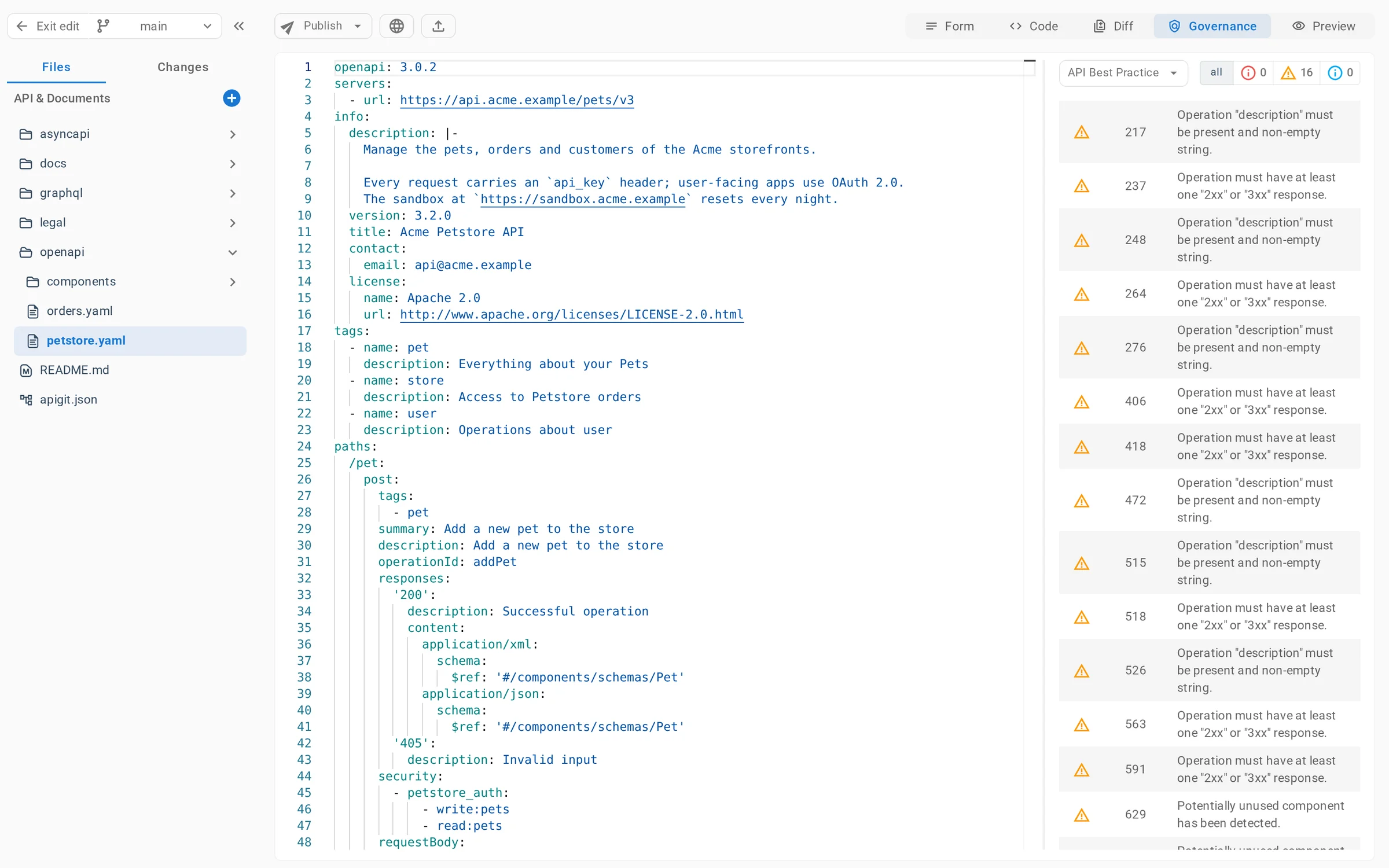
Two rule sets, ready on every plan
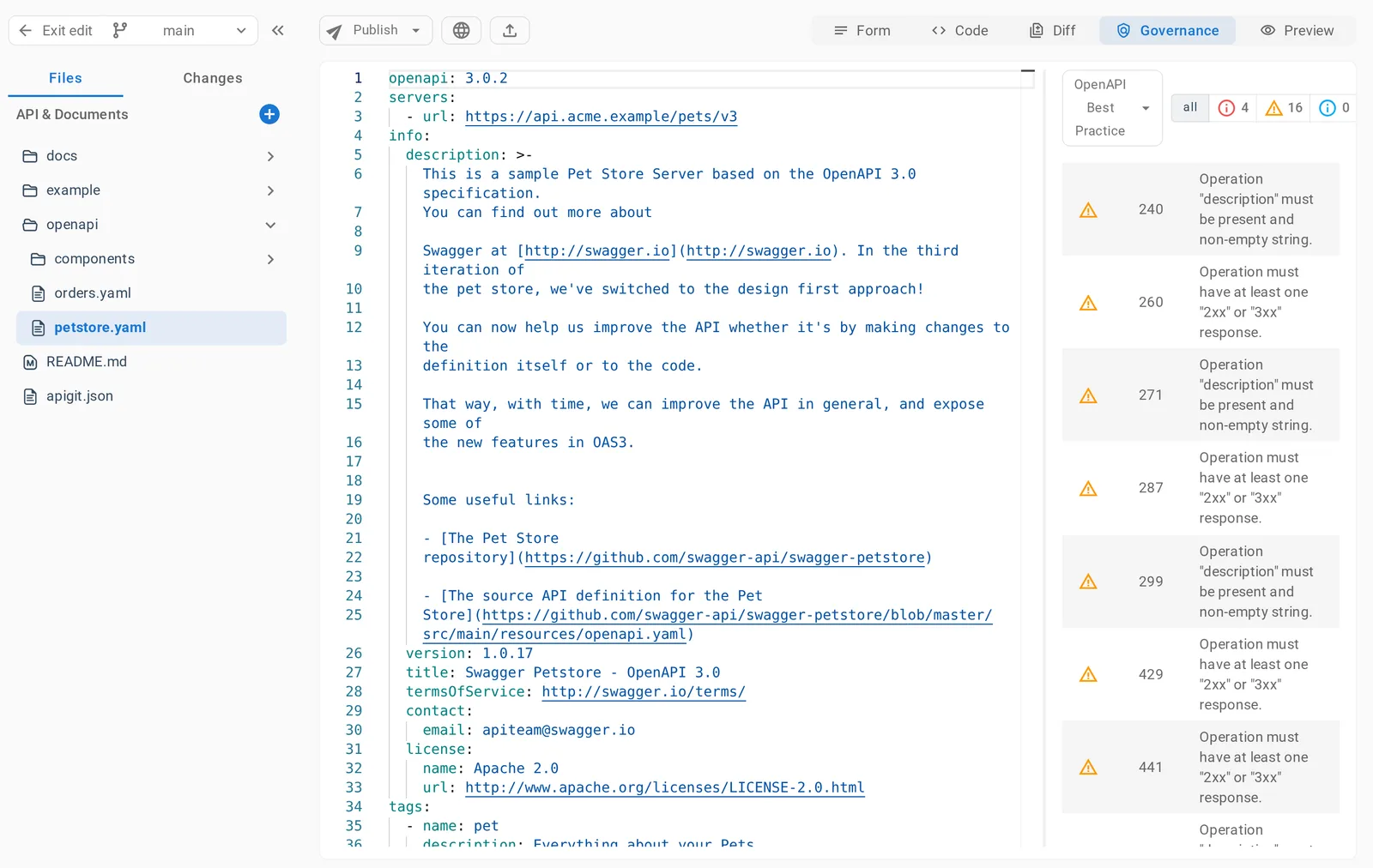
Governance runs on Spectral. Both predefined rule sets are in the menu of every Governance view, with nothing to configure, and API Best Practice is selected by default.
API Best Practice
Design patterns, documentation, structure and naming, for OpenAPI and for AsyncAPI 2.x and 3.x. Each rule applies to its own format. Until November 2026 this set was called OpenAPI Best Practice.
OWASP Top 10 Security
Scans an OpenAPI document for security flaws, outdated security standards and common misconfigurations. Built on the OWASP API Security Top 10, 2023 edition.
GraphQL schema validation
A GraphQL schema has a Governance view too. It validates the syntax and the schema and lists each finding with its line. Rule sets and organization policies do not apply to it.
Findings where the work happens
The author and the reviewer look at the same list. Inside APIGit the findings are advisory: they do not stop a commit and they do not block a merge.
While you edit
Open the Governance tab beside Code, Diff and Preview. APIGit checks the document again as you type and lists each finding with its severity, line and message. Click one to jump to that line and fix it.
- Switch rule sets from the menu, and filter by errors, warnings or infos
- Follows
$refinto other files of the repository, uncommitted changes included - The same results, read-only, in the repository viewer
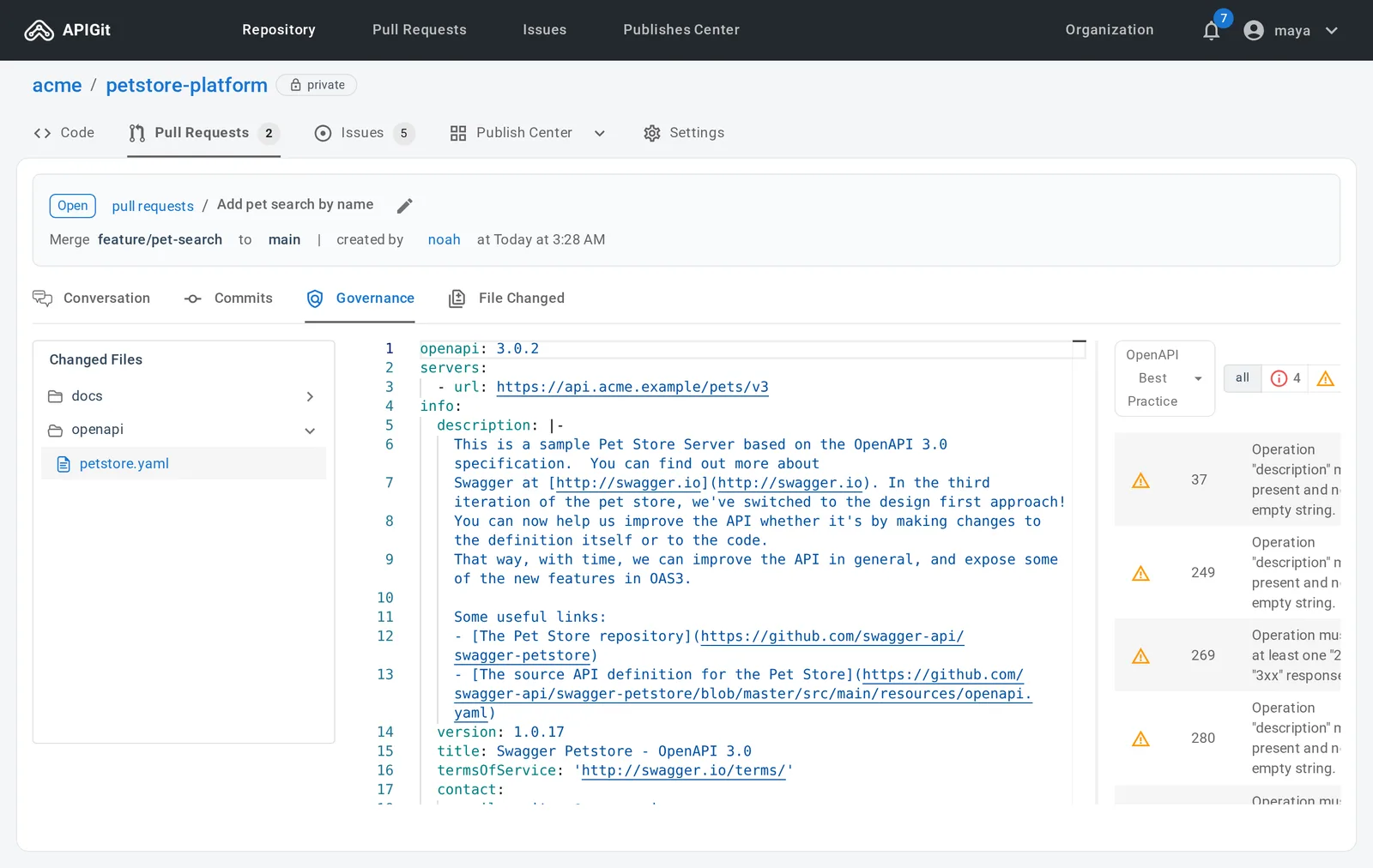
In pull request review
A pull request in an organization repository has a Governance tab. The reviewer picks a changed API file and reads its findings for the version in the pull request, one rule set at a time, before approving.
- One changed spec at a time, with the same rule set menu as the editor
- Your custom profiles are listed where a policy covers the repository
- Organizations are part of the Team and Enterprise plans
Make it a required check in CI
The apigit CLI lints with the rule sets of the editor, on your machine and in a pipeline. With --org it adds the rule sets your organization applies to the repository, and with --report-status it posts the commit status apigit/lint, which a branch protection rule can require before a merge.
- OpenAPI and AsyncAPI against the best-practice rules, GraphQL SDL for syntax and schema
- Your own Spectral rule set file, or one of the built-in sets by name
- Output for GitHub Actions, JUnit, SARIF or JSON
$ npm install -g @apigit/cli$ apigit lint openapi.yaml$ apigit lint openapi.yaml --builtin owasp-top10$ apigit lint events.yaml$ apigit lint schema.graphql$ apigit lint --org my-org --report-statusevents.yaml is an AsyncAPI document. The organization rule sets and the commit status need a signed-in CLI.
Your own rules, applied by policy
On the Enterprise plan an organization writes its own rule profiles and decides which repositories each one covers.
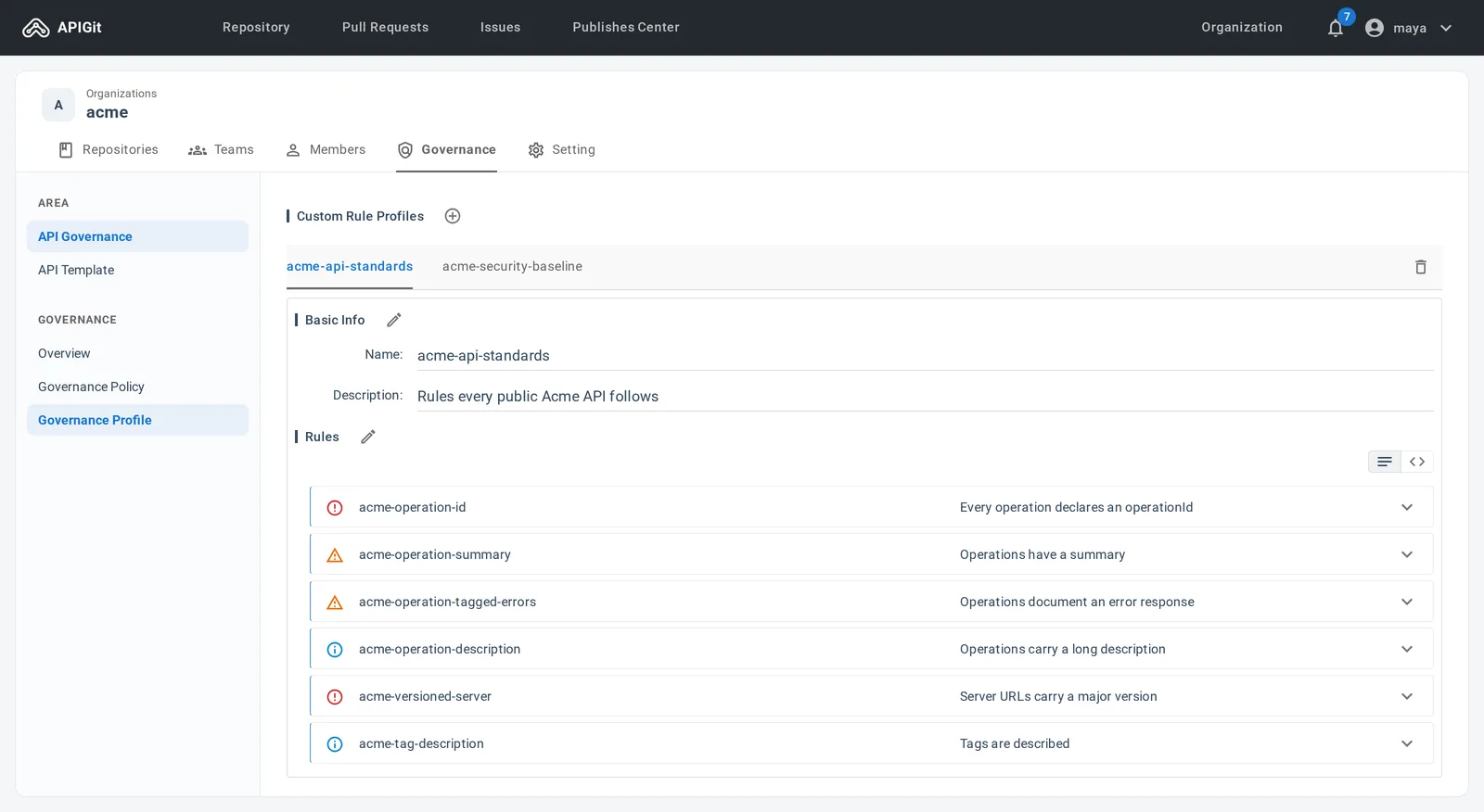
Custom rule profiles
Add as many profiles as you need under the organization's Governance tab. Edit the rules in a form or as JSON: each rule has a severity, a target path, the field to check and the Spectral function that validates it.
- Severities: error, warn, info, hint or off
- Duplicate, reorder and delete rules in the form
- A profile holds only the rules you define
Governance policies
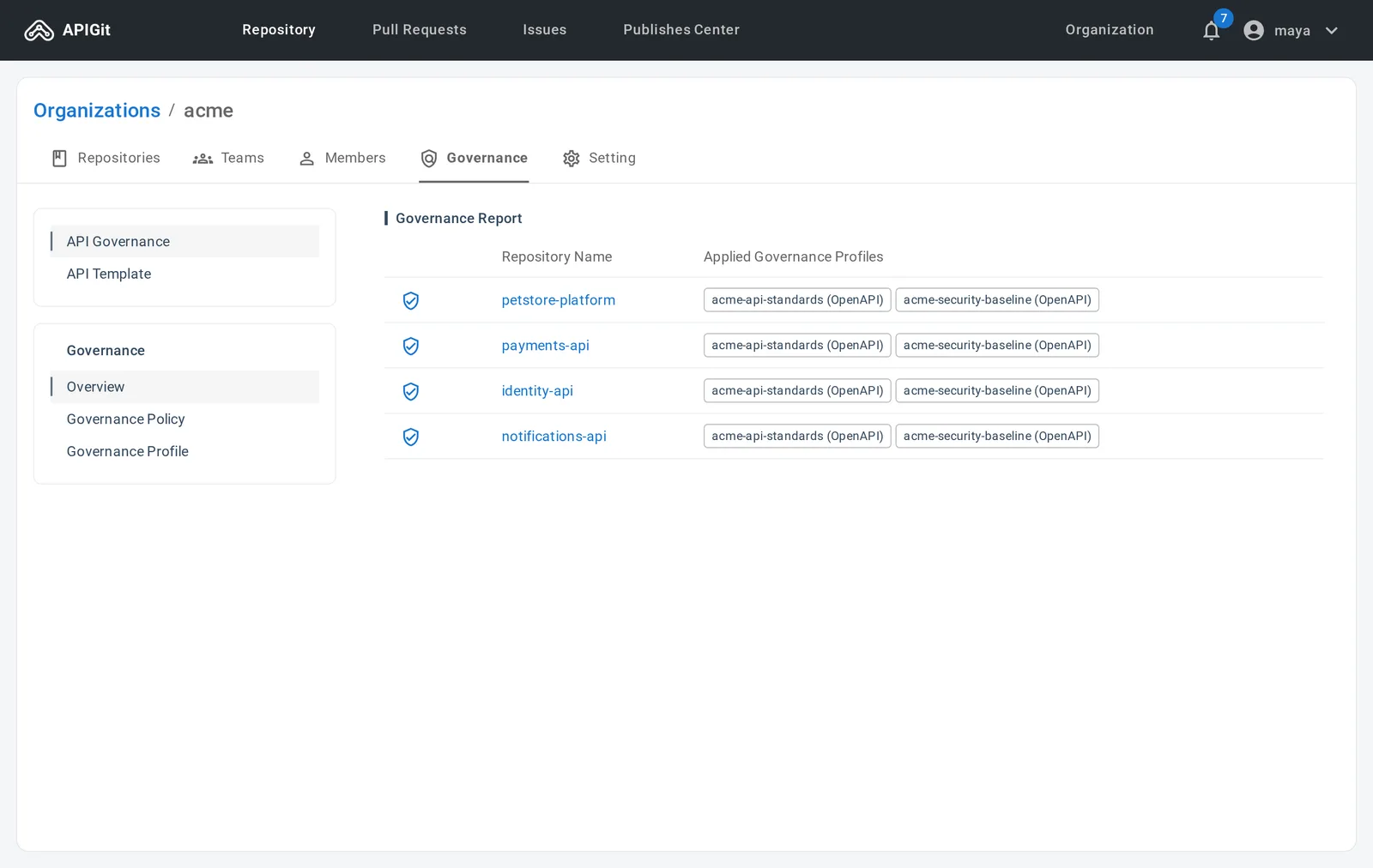
A policy ties a profile to every repository of the organization or to the ones you pick. Once a repository is covered, the profile appears under Custom Profiles in its rule set menu, and the organization's Overview lists which profiles apply to each repository.
- Stricter rules for public APIs than for internal ones
- Older APIs on one profile, new work on another
- One report of what applies where
Spec templates
Give new OpenAPI files a common starting point. A template holds the starting content, a template policy decides which repositories can use it, and authors choose it when they create a spec. Enterprise plan.
Templates start, rules keep checking
A template is used once, when the file is created. After that the spec is an ordinary file in the repository, and the governance rules are what check it on every edit and every pull request.
What each plan includes
| Feature | Plans |
|---|---|
| API Best Practice and OWASP Top 10 Security in the editor and the repository viewer | Free, Team, Enterprise |
| GraphQL schema validation in the Governance view | Free, Team, Enterprise |
| Governance tab in pull requests (organization repositories) | Team, Enterprise |
| Custom rule profiles, governance policies and spec templates | Enterprise |
Prices and seat minimums are on the pricing page.
Run the rules on your own API
Create a free workspace, open an OpenAPI or AsyncAPI file, and read its findings in the Governance tab.
Free for individuals. No credit card.
$ npm install -g @apigit/cli$ apigit auth login$ apigit doc publish