A real Git repository for every API
APIGit runs its own Git service. Your OpenAPI, AsyncAPI and GraphQL files, mock scripts and Markdown guides are files in one repository, with commits, branches, tags and pull requests that work the way Git works everywhere else.
No GitHub or GitLab account needed. You can still sync with one.
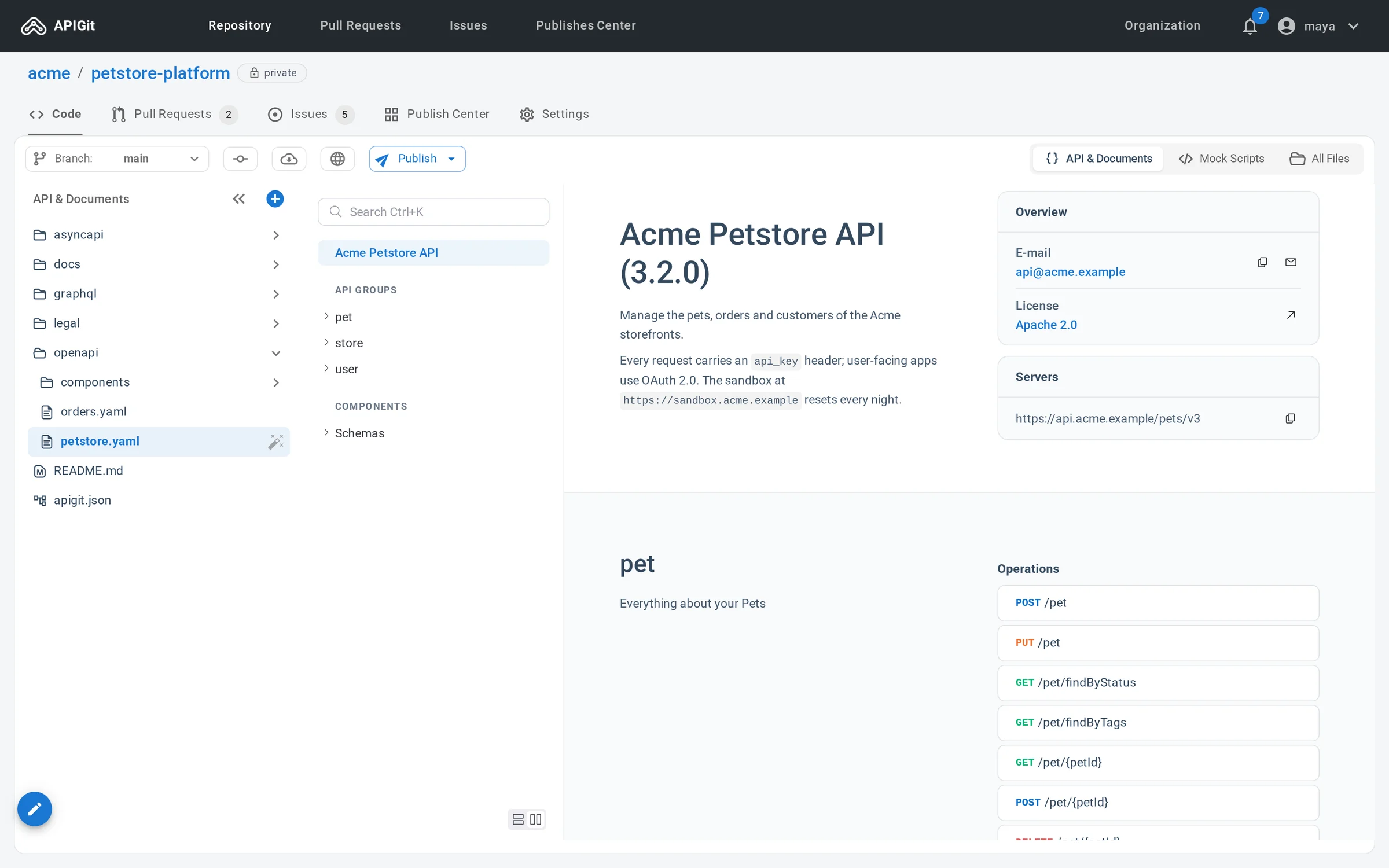
Clone it and work on your machine
A clone is a complete workspace. Edit in your own editor, let a coding agent make the change, run the apigit command line against the files, and push a branch back.
- HTTPS with a personal access token; account passwords are not accepted for Git
- SSH with your key at
git.apigit.com, on port 22 or 443 - Deploy keys for CI runners and servers: one repository each, read-only unless you allow writes
- A zip download when you only want the files
$ git clone git@git.apigit.com:acme/petstore-platform.gitCloning into 'petstore-platform'...$ cd petstore-platform$ git switch -c add-refundsSwitched to a new branch 'add-refunds'$ apigit lint openapi.yamlNo problems found.$ git commit -am "Add the refunds endpoints"$ git push -u origin add-refundsBranches, tags and the full history
Keep main stable, do the work on a branch, and mark a release with a tag. Nothing about your API is stored outside the commits.
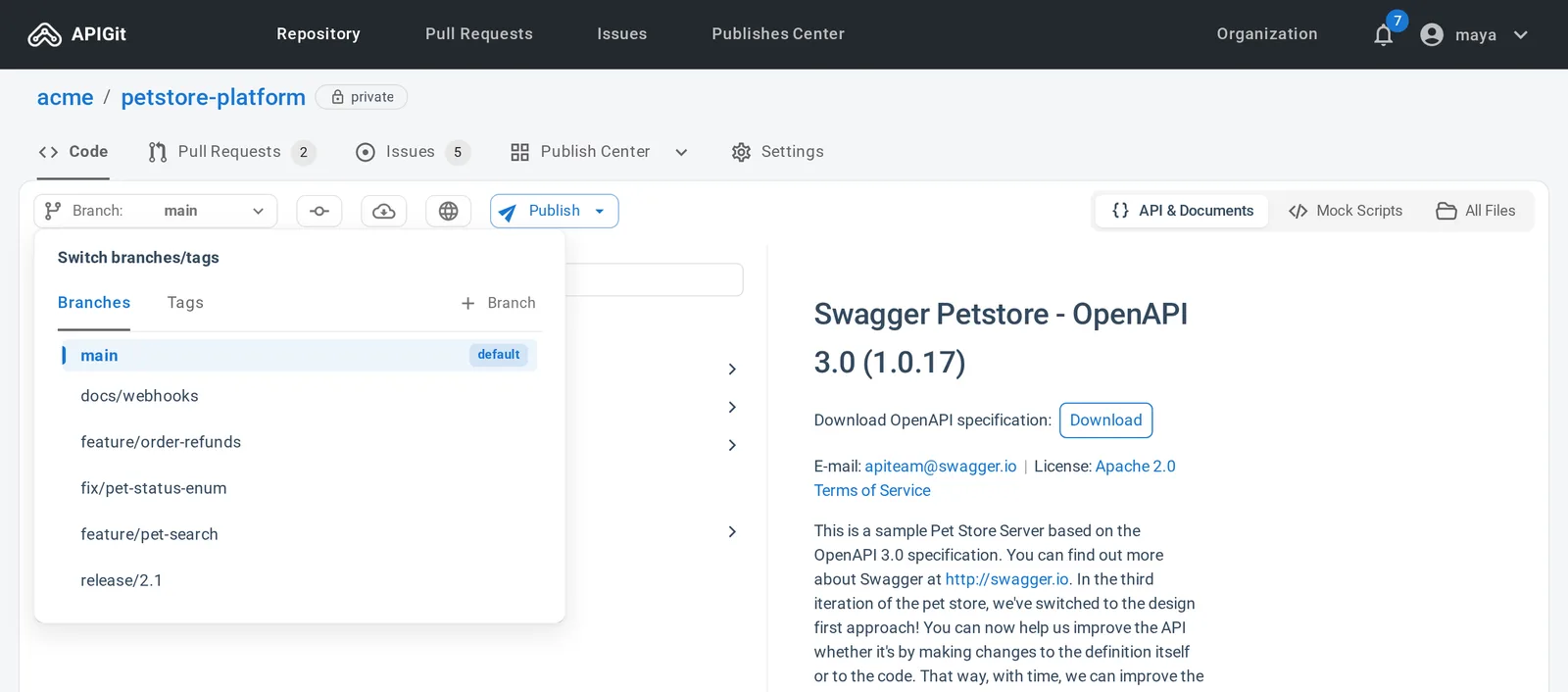
Branch for a change, tag a version
The branch menu switches between branches and tags, creates one from any source, deletes it and sets the default branch. Branches you create with Git on your machine show up the same way once you push them.
- A feature branch per change, so the default branch stays ready to publish
- Tags for the versions you released
- Commit from the editor to the current branch, or to a new branch in the same step
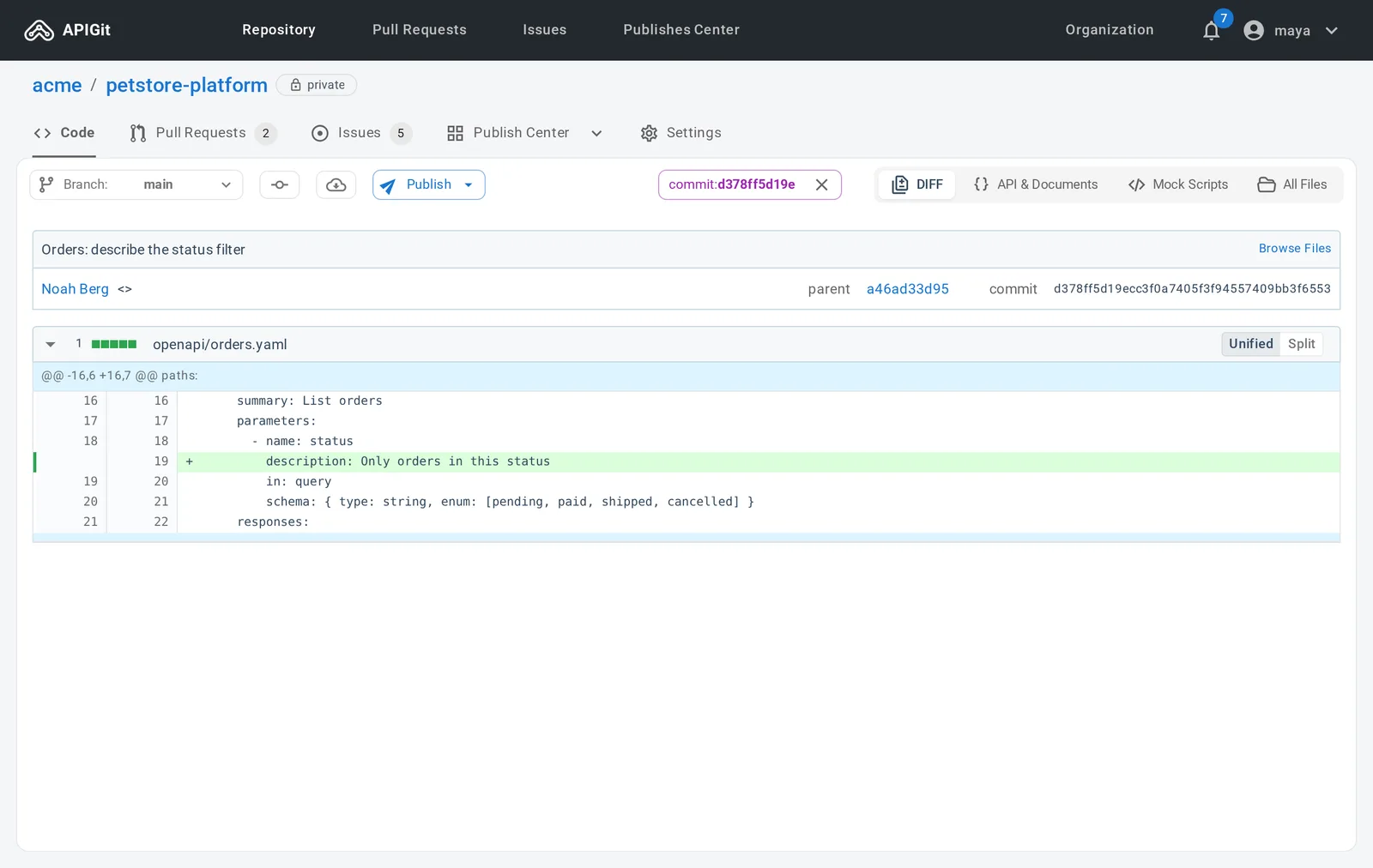
Read the history, commit by commit
The commit list shows author, SHA, message and time for each branch. Open a commit to see its diff, unified or split, and to browse the files as they were at that point. Going back to an earlier version is ordinary Git.
- A diff for every commit
- The repository as it stood at any commit
- Publish a documentation site or a mock server straight from a commit
Review API changes in pull requests
A change to a spec, a guide or a mock script goes through the same review as code: a branch, a pull request, a decision.
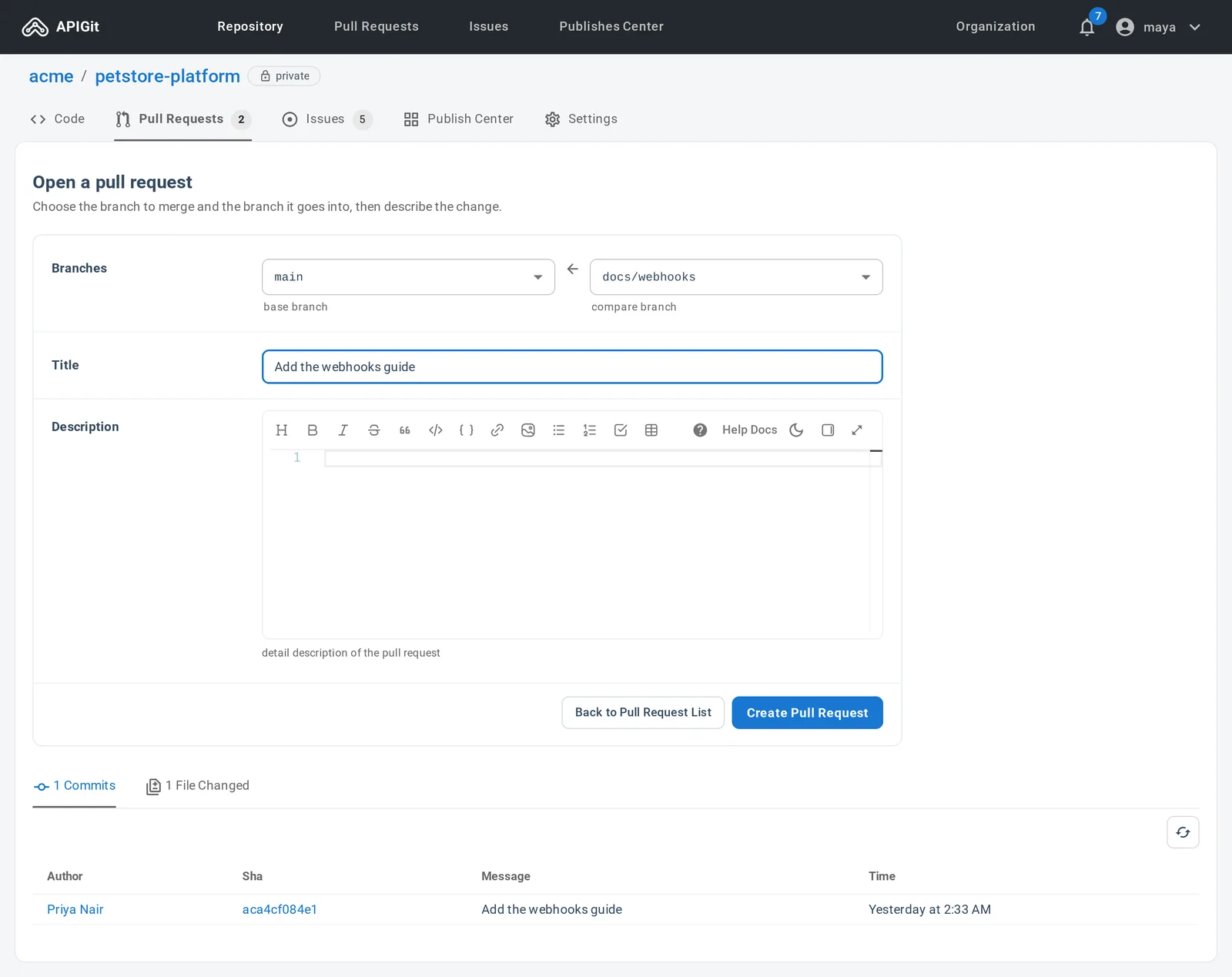
Open a pull request between two branches
Pick the base branch that receives the change and the compare branch that holds it, add a title and a description, and check the commits and files before you create it.
- Request reviewers, set assignees and add labels
- A list of pull requests per repository, and one across all your repositories
Discuss, review and merge
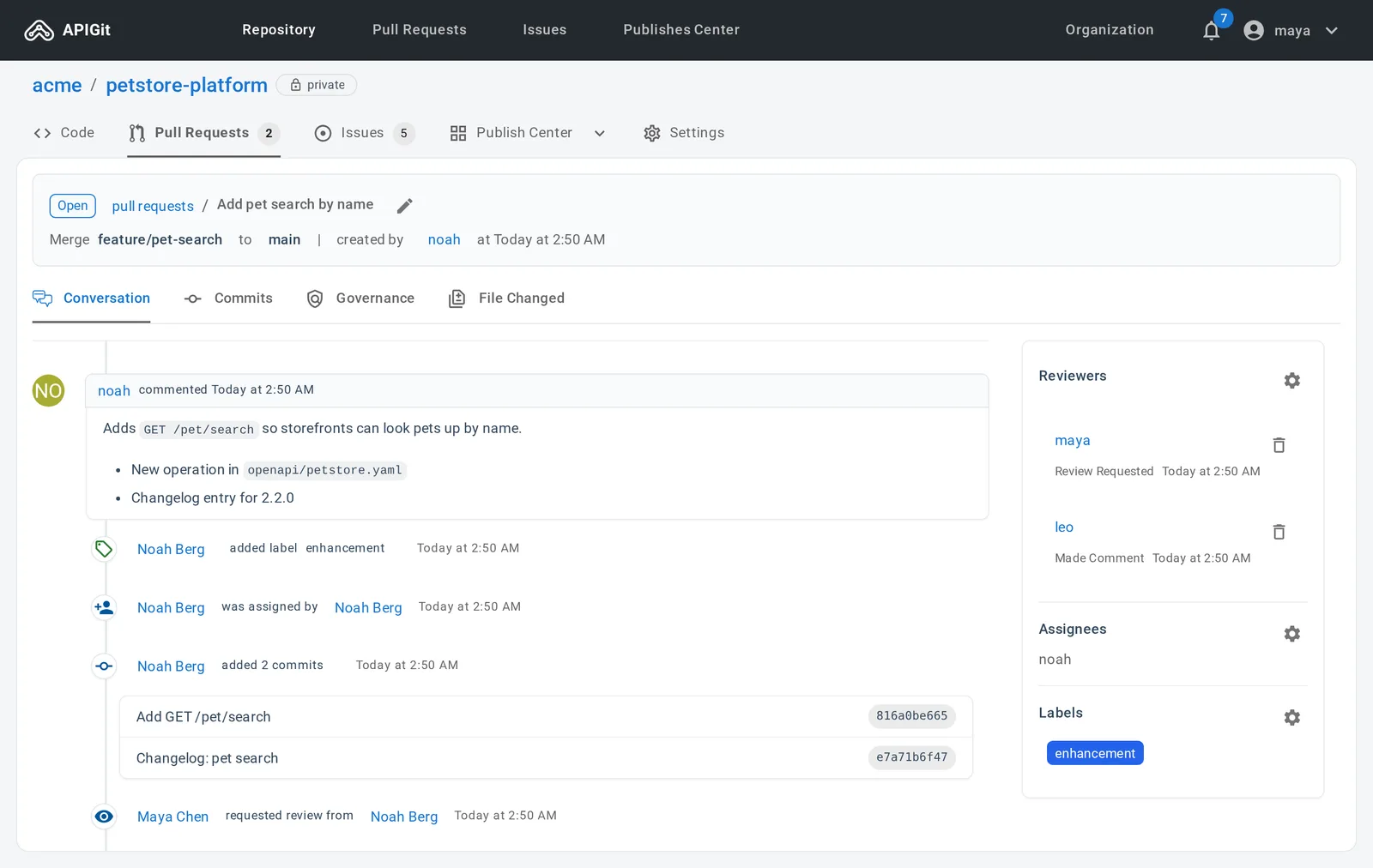
The conversation keeps the discussion and a timeline of every push, review, label and status change. Reviewers go through the changed files, tick the ones they have viewed, and submit a comment, an approval or a request for changes.
- Merge commit, rebase, squash or fast-forward only
- Update an out-of-date branch by merge or by rebase
- Governance findings for the changed files, in organization repositories
A merge box that explains itself
It says whether the pull request can be merged and, when it cannot, lists each blocker: missing approvals, requested changes, an out-of-date branch or conflicting files.
Issues beside the files
Every repository has issues with a Markdown description, comments, assignees and labels. Labels are shared with pull requests. Issues
Notifications
The bell in the top bar lists what happened on your issues and pull requests. Pin the ones to keep and mark the rest as read. Notifications
Host it here, or sync with the Git you have
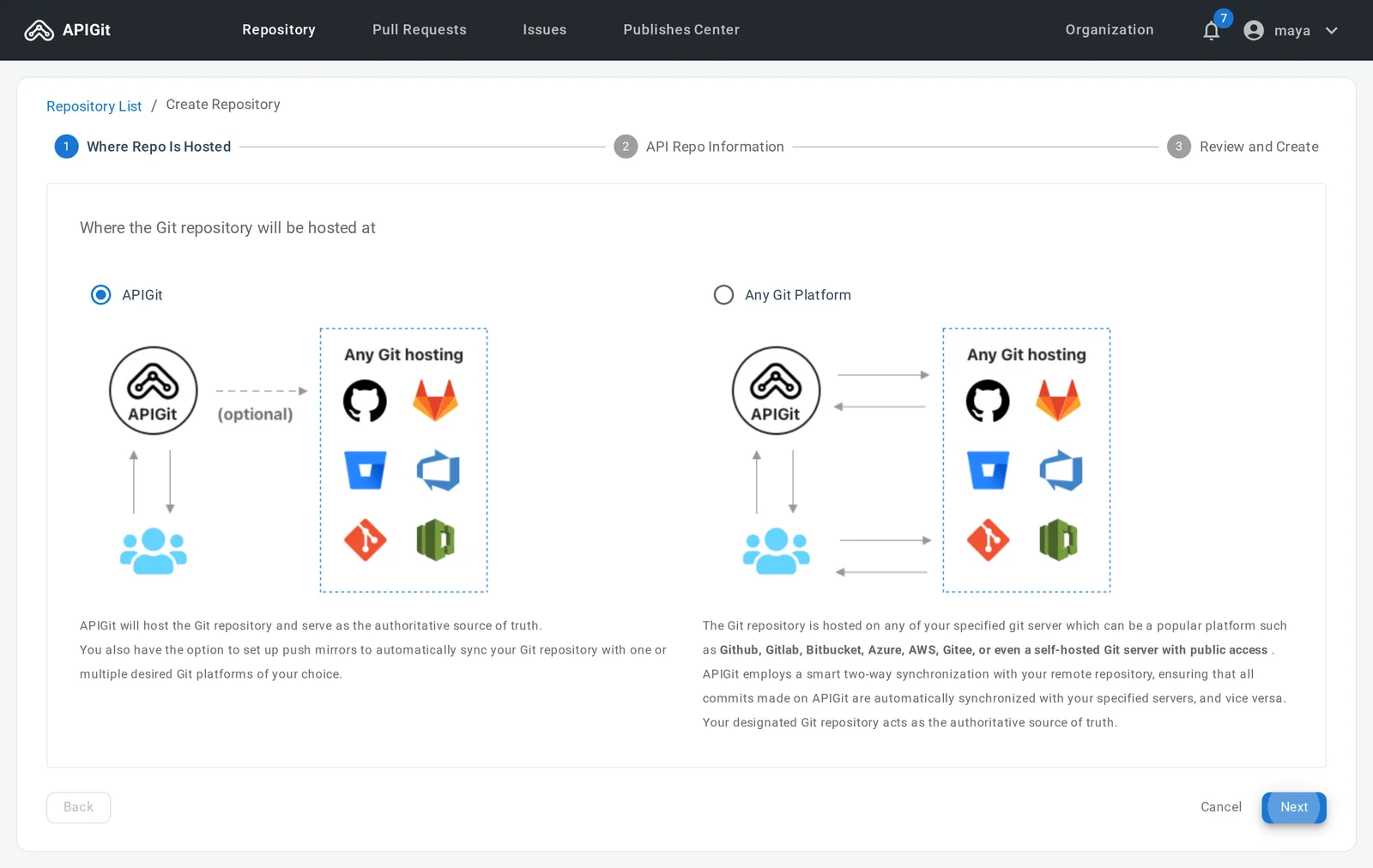
When you create a repository you choose where it lives. Hosting on APIGit gives you everything on this page. Connecting a repository on another Git platform keeps that one as the source of truth.
| Topic | Hosted on APIGit | Synchronized with another Git platform |
|---|---|---|
| Where the repository lives | On APIGit, which runs its own Git service | On GitHub, GitLab, Bitbucket, Azure, AWS, Gitee or a self-hosted server reachable over https:// |
| Keeping another host up to date | Optional push mirrors copy it out on an interval | Two-way: APIGit fetches from your remote, and pushes every change made in APIGit to it first |
| Pull requests and issues | In APIGit | On your Git provider |
| Protection rules, deploy keys, webhooks | In the repository settings | On your Git provider |
| Clone and push from a terminal | HTTPS or SSH against APIGit, or a zip download | Against your remote repository |
| Plans | Every plan | Enterprise |
Two-way sync with a remote repository
Choose Any Git Platform in the creation wizard and give APIGit the address and a token, or a username and password. APIGit fetches from the remote before every write, and you can fetch on demand from the toolbar. Commits and branch changes made in APIGit are pushed to the remote first.
Deleting the repository from APIGit leaves your remote repository untouched.
Push mirrors copy a repository out
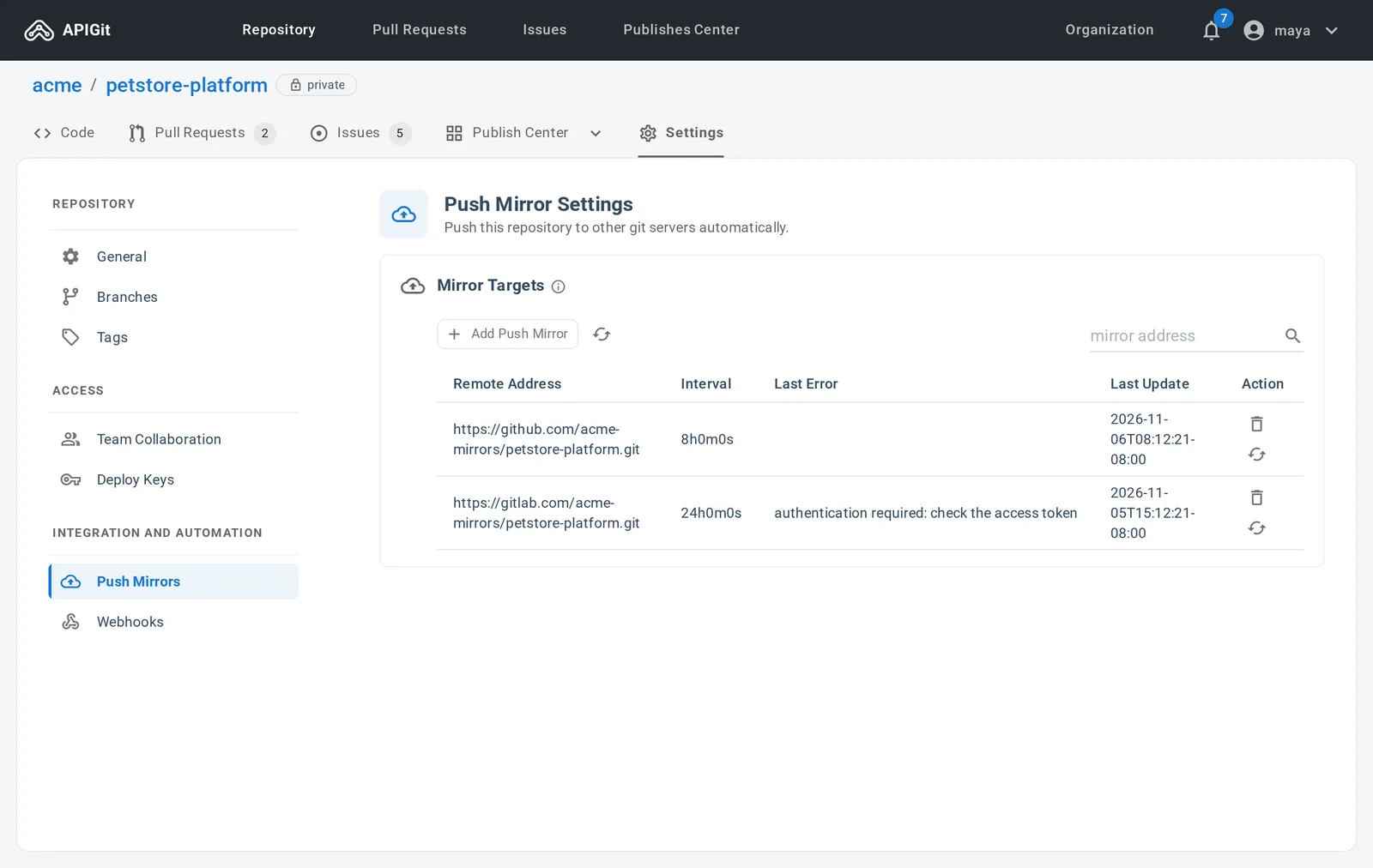
A push mirror sends every commit, branch and tag of a repository hosted on APIGit to a repository on GitHub, GitLab, Bitbucket or your own server. Add as many as you need, for a backup or for people who work on another platform.
Push mirrors are available on the Enterprise plan.
- Runs on the interval you set for each mirror, and when you click Sync Now
- One-way, and a sync force-pushes: point it at an empty repository
- The list shows the last update and the last error of each mirror
Protect the branches that matter, and tell other systems
The repository settings hold the rules for who may change what, and the hooks that report what changed.
Webhooks report repository events
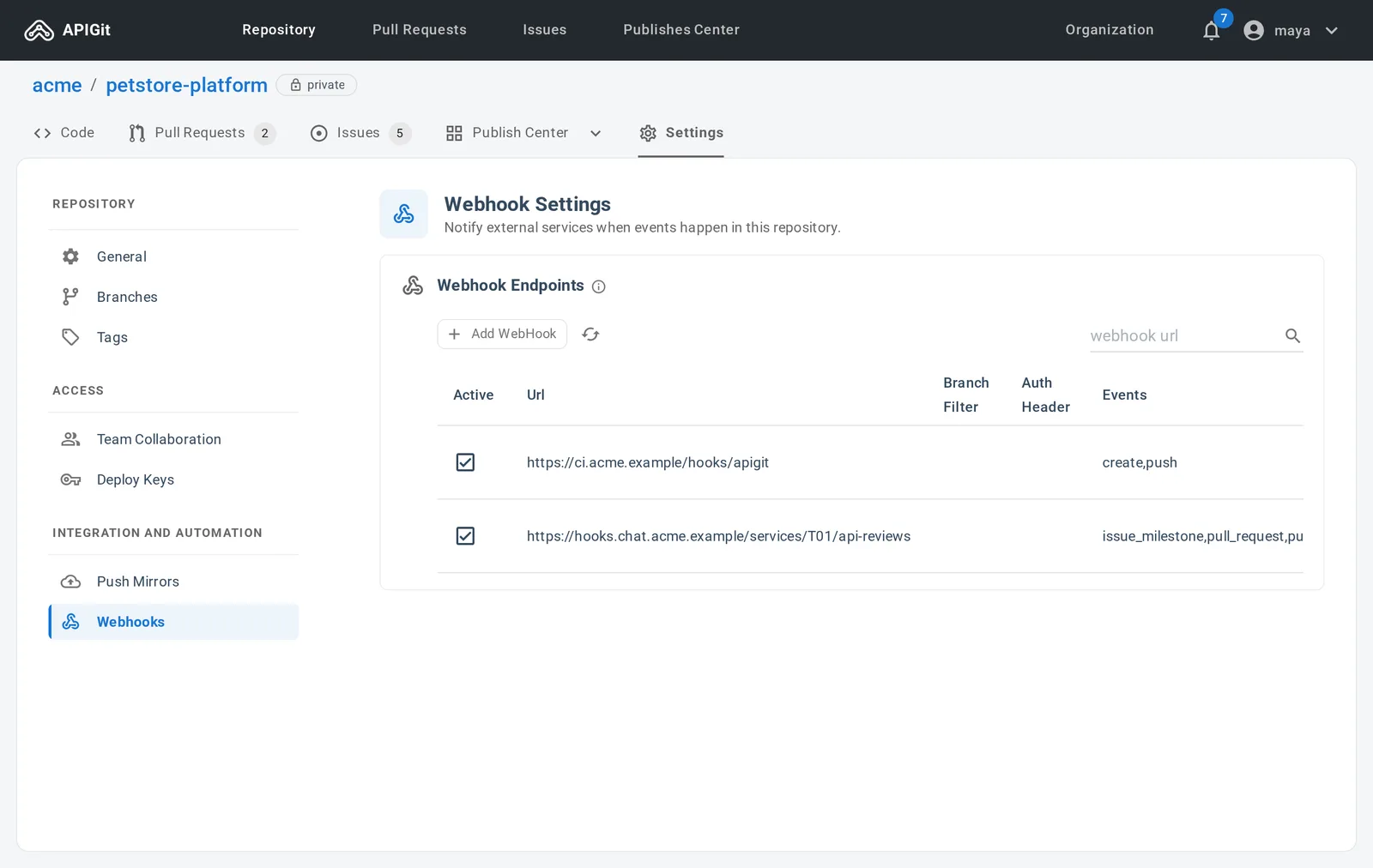
A webhook sends an HTTP POST to your endpoint when something happens in the repository, so a pipeline can start, a ticket can update or a service of yours can post to chat. Send push events only, everything, or the events you pick.
Webhooks are available on the Enterprise plan.
- Events for pushes, branches and tags, issues, pull requests and reviews
- A branch filter such as main or release*
- An Authorization header on each request, to authenticate it
- JSON or form-encoded payloads
Branch protection
Rules by branch name pattern: who can push, how many approvals a pull request needs and from whom, who can merge, and when a merge is blocked. Protected file patterns guard single files. Enterprise plan.
Tag protection
Tags mark released versions. A rule stops tags that match a name, a glob or a regular expression from being created, changed or deleted, except by the users and teams you allow. Enterprise plan.
Deploy keys
An SSH key for one machine and one repository, not tied to a person. Read-only by default, and it loses access the moment you delete it.
Start with a repository
Create a blank repository or migrate one from another Git host, then clone it to your machine. It is Git from the first commit.
Free for individuals. No credit card.
$ npm install -g @apigit/cli$ apigit auth login$ apigit doc publish