Your API and docs
are a Git repository.
Keep API specs and Markdown guides in one repository. Review them like code, then publish a documentation site, mock servers and agent-ready endpoints from any commit.
Free for individuals, no credit card. OpenAPI, AsyncAPI, GraphQL and Markdown.
API teams that work this way

 Swiss Learning Hub
 Luminess
+paths:+ /orders/{orderId}:+ get:+ operationId: getOrder+ summary: Get an order+ parameters:+ - name: orderId+ in: path+ required: true+ - name: include+ in: query+ description: Related records to return.+ schema:+ type: string+ enum: [items, shipment]+ responses:+ "200":+ description: The order.Returns one order by its id.
Related records to return.
{
  "id": 1042,
  "status": "shipped",
  "total": 129.5
}One commit to openapi.yaml, and what APIGit makes of it. Pick a tab.
One repository does six jobs
APIGit keeps OpenAPI, AsyncAPI and GraphQL beside your Markdown guides in one repository. Design, documentation, mocks and governance all read the same files, so they never drift apart.
Git repository
Every API and document lives in a real Git repository: clone it, branch it, review changes in pull requests and keep the full history.
API design
Design OpenAPI in a visual editor, or edit OpenAPI, AsyncAPI and GraphQL as code with a diff and a live preview.
API documentation
Publish references and Markdown guides as one site, on your domain, in one of seven themes. Pin a version or follow a branch.
API governance
Check OpenAPI and AsyncAPI against built-in and custom rules, and validate GraphQL schemas, while you edit and in review.
Mock server
Publish a mock from an OpenAPI document or a GraphQL schema with no scripts, or write Express.js mocks for custom logic and state.
AI agents and CLI
Published documents answer agents through llms.txt and an MCP server. The apigit CLI and its Agent Skill run in your terminal and in CI.
From a commit to docs, mocks and agents
Your APIs and their docs live in a Git repository. Everything else is built from a commit.
1 of 3, on a branch
Design on a branch, review like code
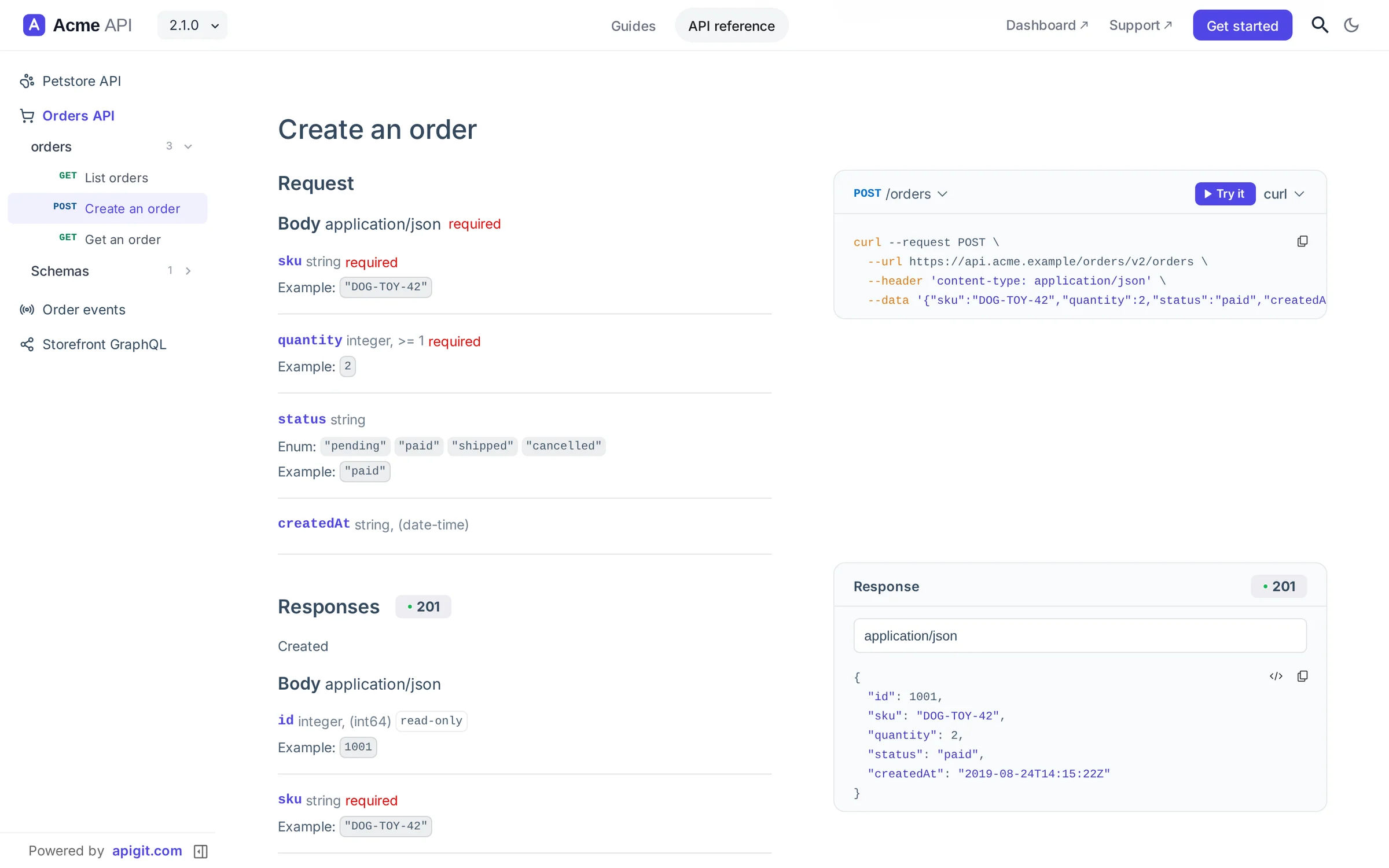
Every spec, schema, Markdown page and mock script is a file in one repository, and each API file opens as the reference it describes: its operations, its schemas and a Try it panel, beside the file tree. Edit OpenAPI in a visual form or as code on a branch, then open a pull request and review the change together.
- Every API file reads as a reference with Try it, on any branch
- A visual OpenAPI editor with form, code, diff and preview views
- Branches and pull requests, with governance findings beside the diff
app.apigit.com/acme/petstore-platform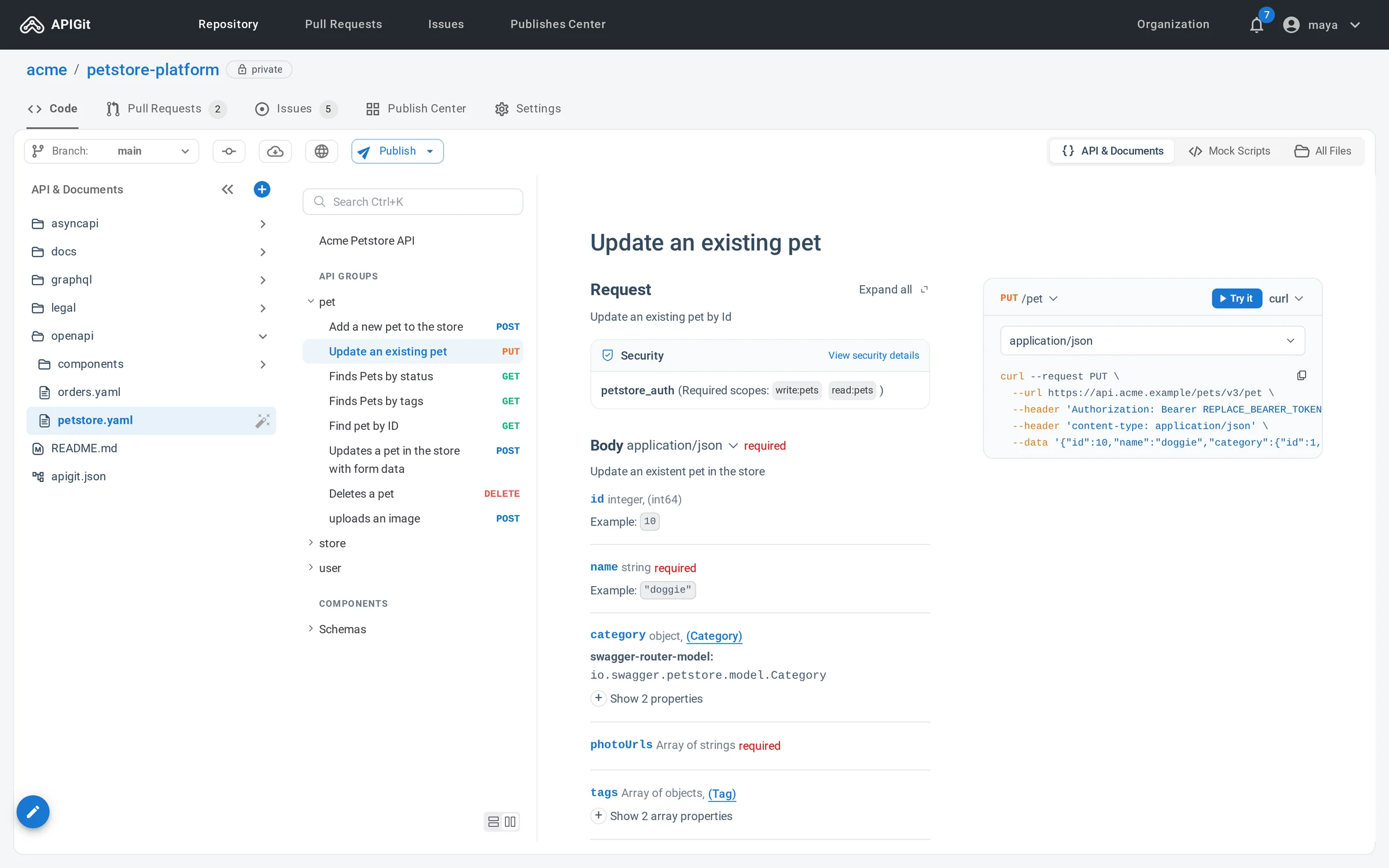
2 of 3, on a commit
Publish docs and mocks from any commit
Pick a commit and publish it as a documentation site, a mock server, or both. Pin a version to a release or let it follow a branch, and choose who can read each one.
- Interactive API references beside your Markdown guides
- Mock servers from OpenAPI or GraphQL, with no code
- Public, members only, named viewers or a password link, per version
app.apigit.com/acme/petstore-platform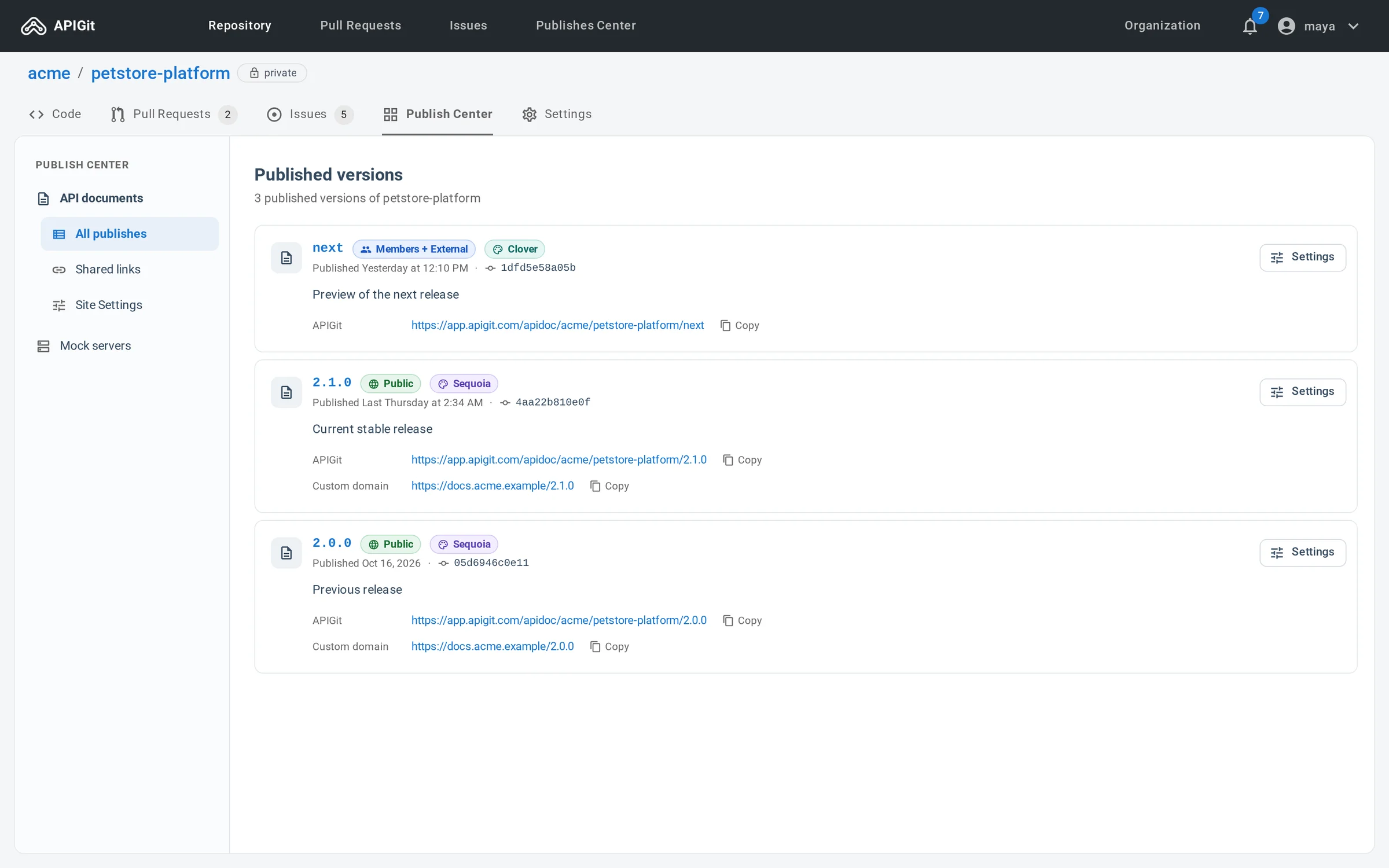
3 of 3, on your machine
Local-first, ready for AI agents and CI
The apigit CLI runs the same checks, a docs preview and a mock on your own machine, so a coding agent such as Claude Code or Codex can do the work in your terminal, and CI can repeat it. Every published version also answers in the formats agents read.
- Lint, breaking-change checks, a local mock and publishing from the CLI
- An Agent Skill that teaches coding agents the commands
- llms.txt, Markdown and an MCP server for each published version
- An MCP server for your account: agents work on a branch, people merge
~/orders-api$ npm install -g @apigit/cli$ apigit lint openapi.yamlNo problems found.$ apigit breaking main HEAD openapi.yamlNo breaking change.$ apigit mock serve openapi.yamlMock of openapi.yaml at http://127.0.0.1:4010 (Ctrl+C to stop). 1 operation(s): GET /orders/{orderId}$ apigit preview$ apigit doc publish --version 2.3.0 --access public
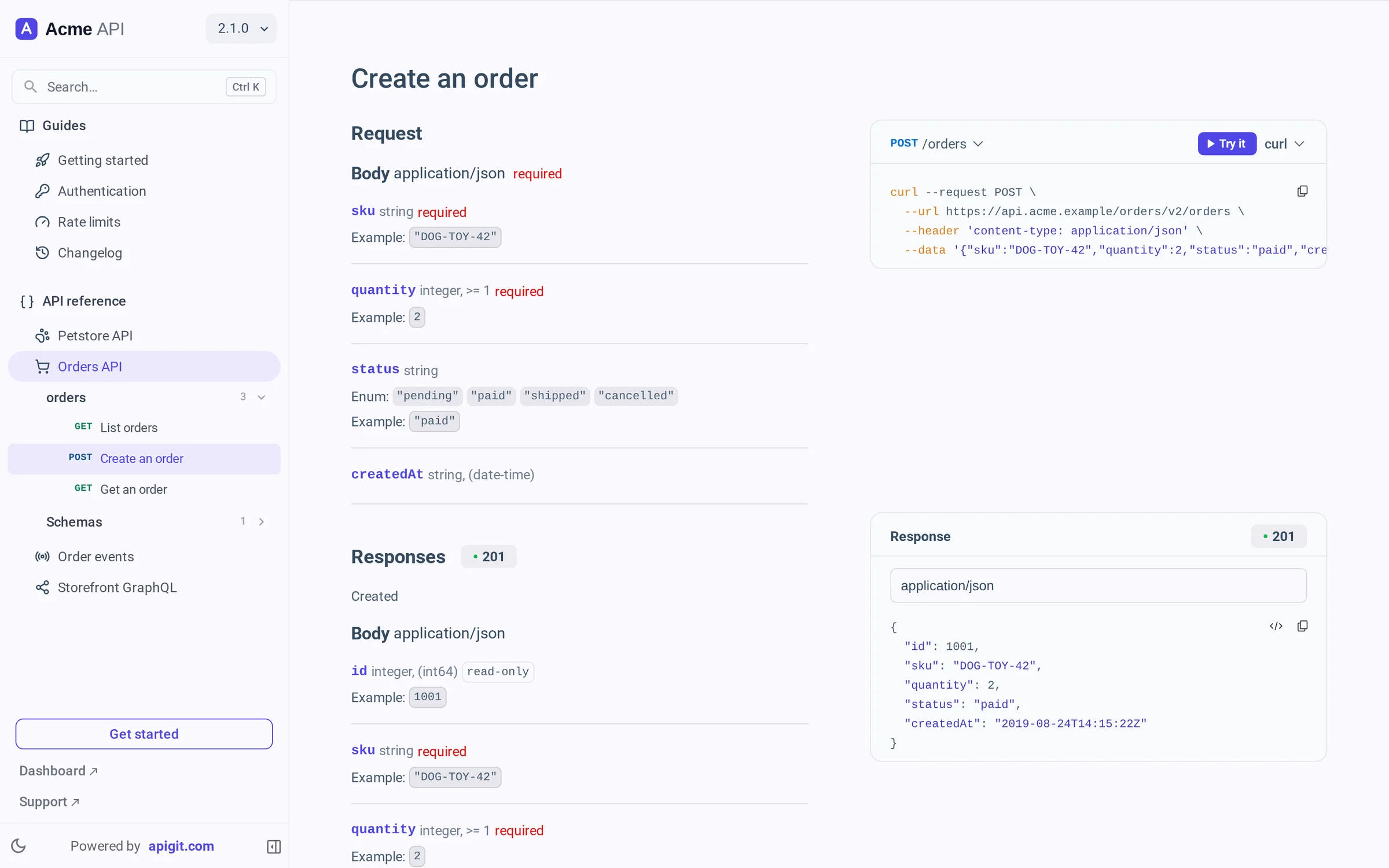
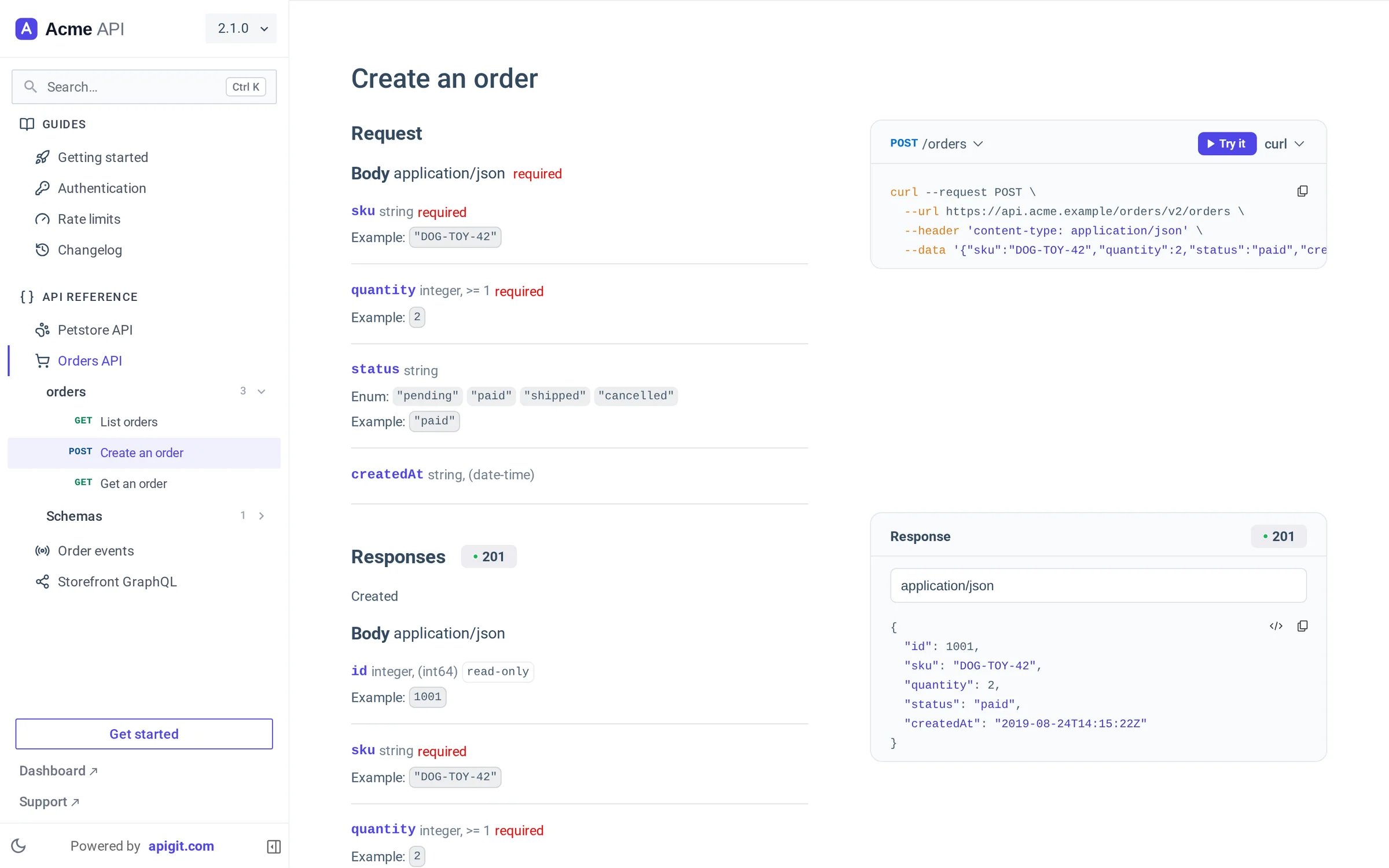
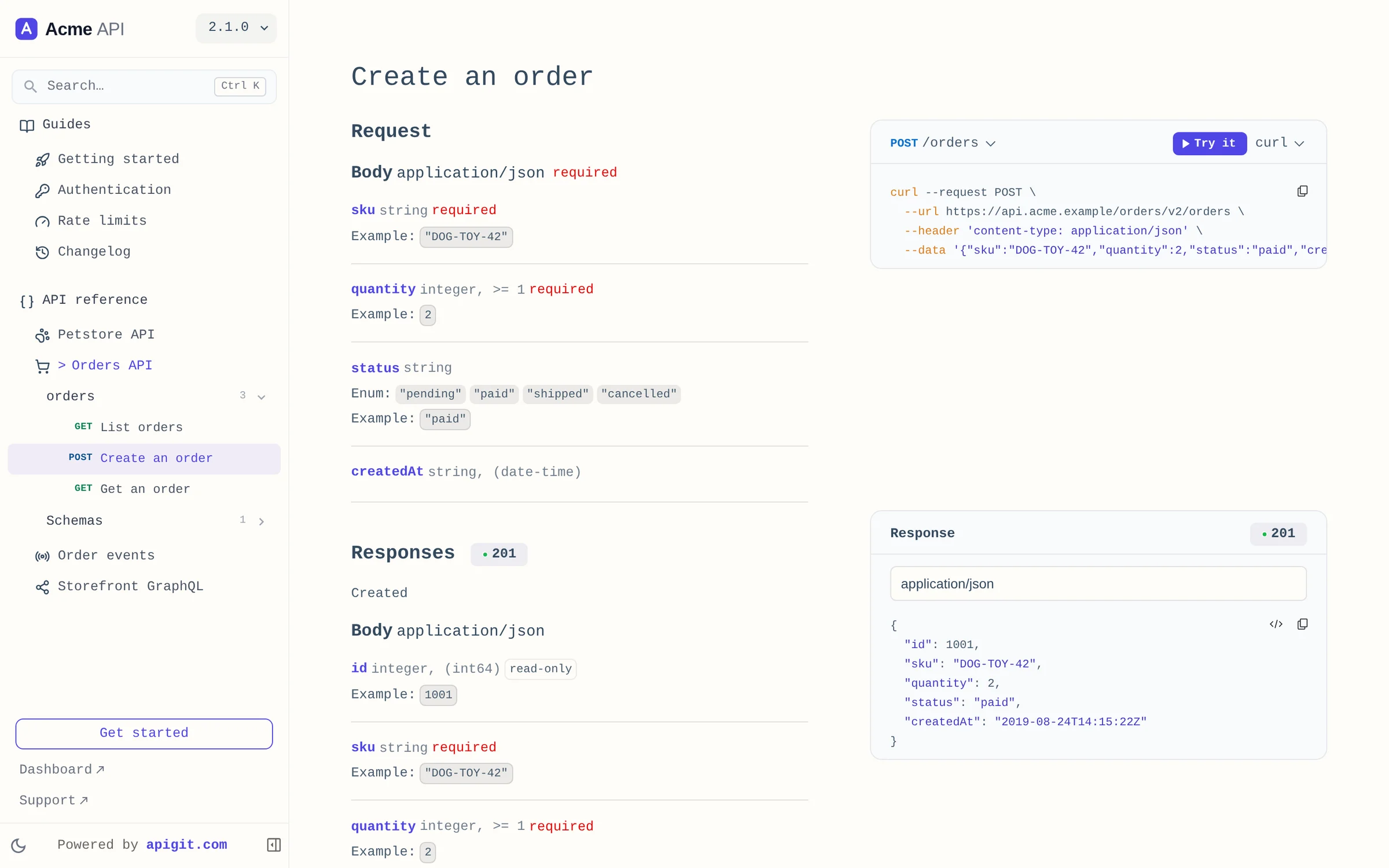
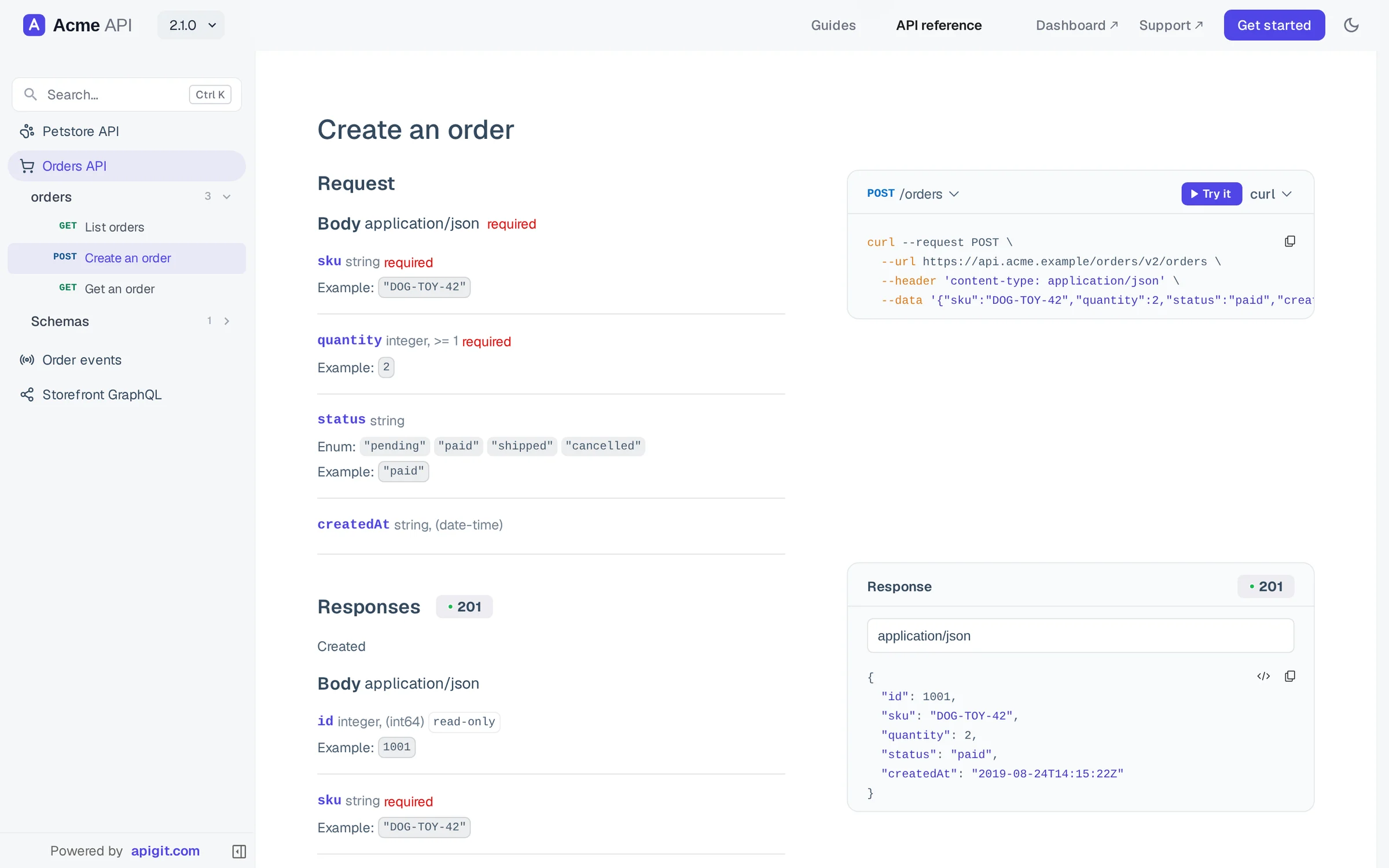
A documentation site that looks like yours
API references and Markdown guides publish as one site on your own domain. Pick one of seven themes, set your brand colour, fonts and logo in one screen, and it applies to every version at once.
- Search for readers, with Ctrl K
- Light and dark, following the reader
- Sitemap, redirects and a social image on your domain
- llms.txt and an MCP server for each version
Navigation, search and the light/dark switch in a sidebar. The default.
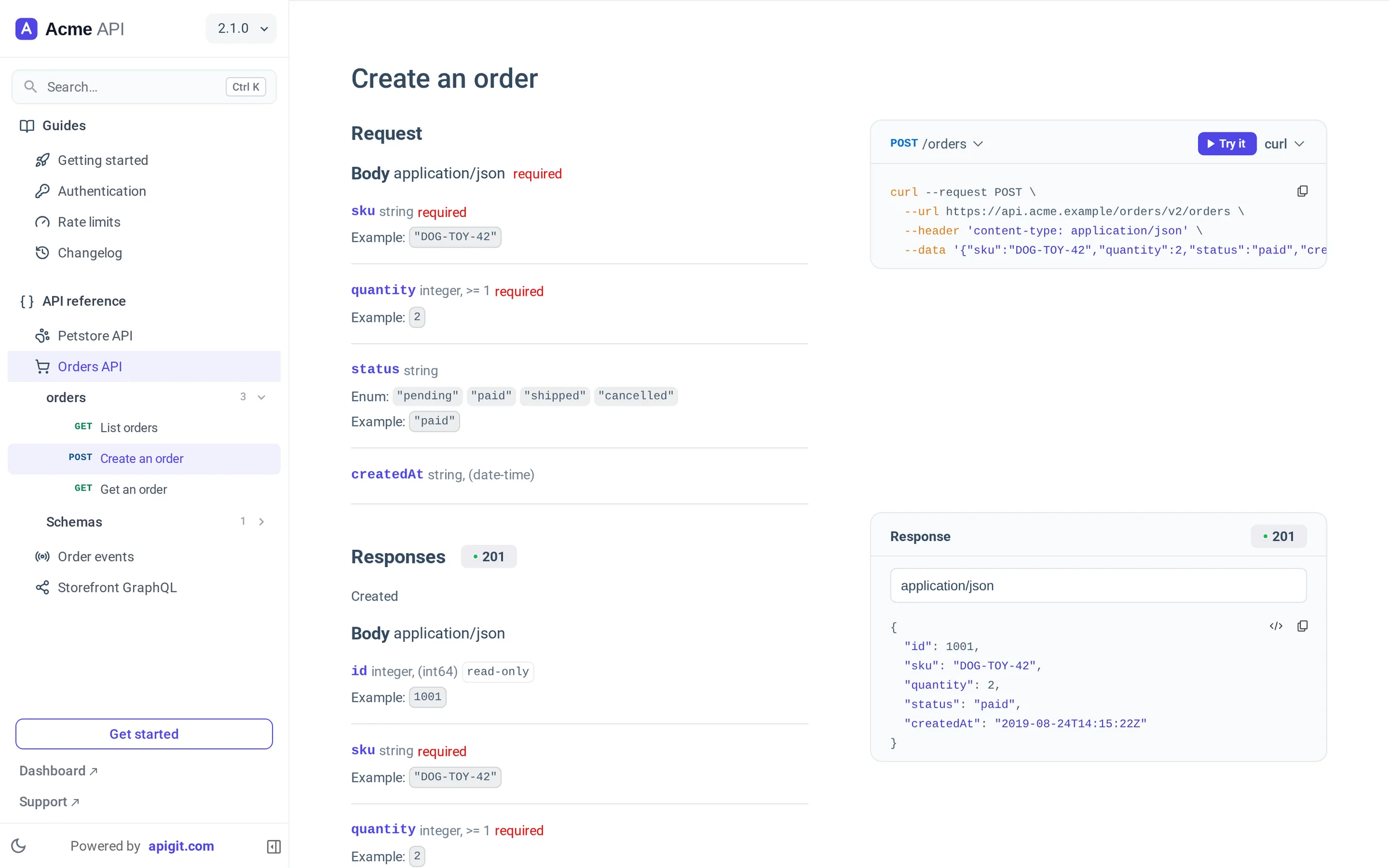
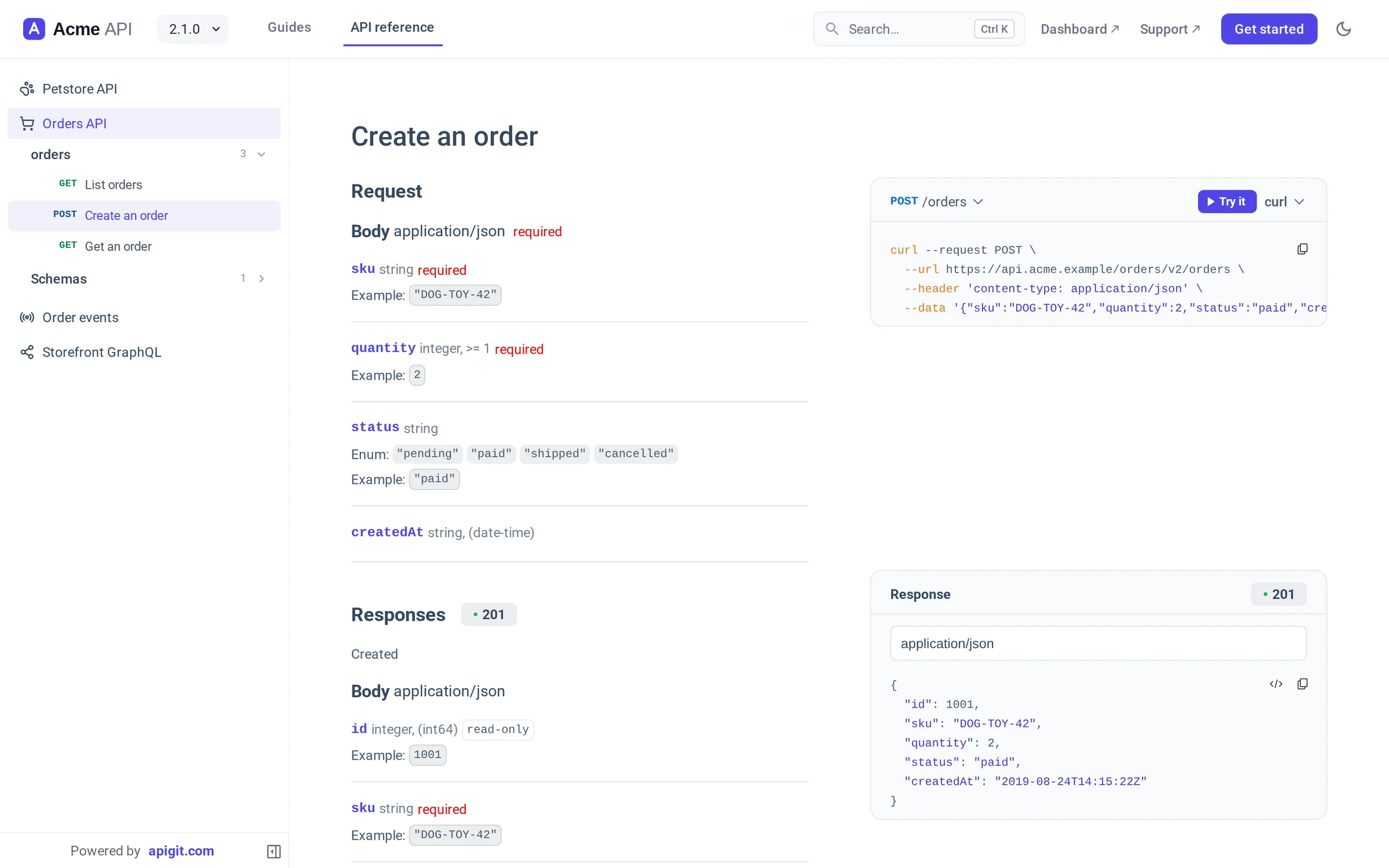
A repository, not a record in a tool
Most API platforms keep your API in their own store and give you an export. APIGit starts from Git, so the things developers already trust keep working.
| Topic | An API tool with its own store | APIGit |
|---|---|---|
| Where the API lives | A record in a vendor's database | Files in a Git repository you can clone |
| History | A change log the tool keeps | Commits, branches and tags |
| Review | Comments on a shared screen | A pull request, with rule findings beside the diff |
| Docs and mocks | Built from the current state | Built from the commit you pick, version by version |
| Automation and agents | The vendor's API and plugins | git, a CLI, an Agent Skill and MCP |
| Leaving | An export | git clone |
Open formats only
OpenAPI 3.0 and 3.1, Swagger 2.0, AsyncAPI 2.x and 3.x, GraphQL SDL and Markdown. Nothing is converted into a private format.
One commit, every output
The documentation site, the mock server and what agents read are all built from the same commit, so they agree.
Syncs with the Git you have
Mirror a repository to or from GitHub, GitLab or any Git host, and keep your existing pipelines.
Free for individuals. Team from $24 a month for 3 seats, with a 30-day trial. See pricing
Put your API and docs in a repository today
Create a free workspace, add an OpenAPI file and a Markdown guide, and publish your first documentation site and mock server in minutes.
Free for individuals. No credit card.
$ npm install -g @apigit/cli$ apigit auth login$ apigit doc publish