APIGit
Native Git RepositoryVersioned, Git-native API repositoryAPI DesignOpenAPI, AsyncAPI and GraphQL editingAPI DocumentationPublish versioned docs from GitAPI GovernanceCheck OpenAPI and AsyncAPI standardsMock ServerFrom OpenAPI, GraphQL or Express.js codeTeam CollaborationOrganizations, teams, permissions and reviewsAI AgentsMCP server, llms.txt and Copy page for agentsCLILocal-first: lint, mock and publish from a terminal

Your API and docs are a Git repository

Specs and Markdown guides in one repository, reviewed like code and published as a docs site, mocks and agent-ready endpoints from any commit.

Start for freeView pricing

Learning

DocumentationGetting StartedVideo TutorialsBlog

Support

Contact UsRequest a DemoReport an Issue
DocsPricingAbout
Sign inStart for free
APIGit

The Git-native, local-first API platform, ready for AI agents.

Product

  • Git repository
  • API design
  • API documentation
  • API governance
  • Mock server
  • Team collaboration
  • AI agents
  • CLI

Resources

  • Documentation
  • Get started
  • CLI reference
  • MCP server
  • Blog
  • Video tutorials
  • Pricing

Company

  • About
  • Careers
  • Contact
  • Privacy policy
  • Terms of service
  • Service level agreement
  • Cookie policy

© 2026 APIGit. All rights reserved.

Blog/Collaboration

Team collaboration and role-based access control

Dec 15, 20222 min readAPIGit Team

APIGit provides powerful access control features that allow you to share your API repositories with team members, organizations, and other users with precision and flexibility. With support for organization- and role-based access control, you can create multiple organizations and assign different access permissions to each one. By adding users to teams and granting them specific permissions, you can easily control who can access which resources and repositories. This allows you to share your APIs with the right people, while keeping your data secure and organized.
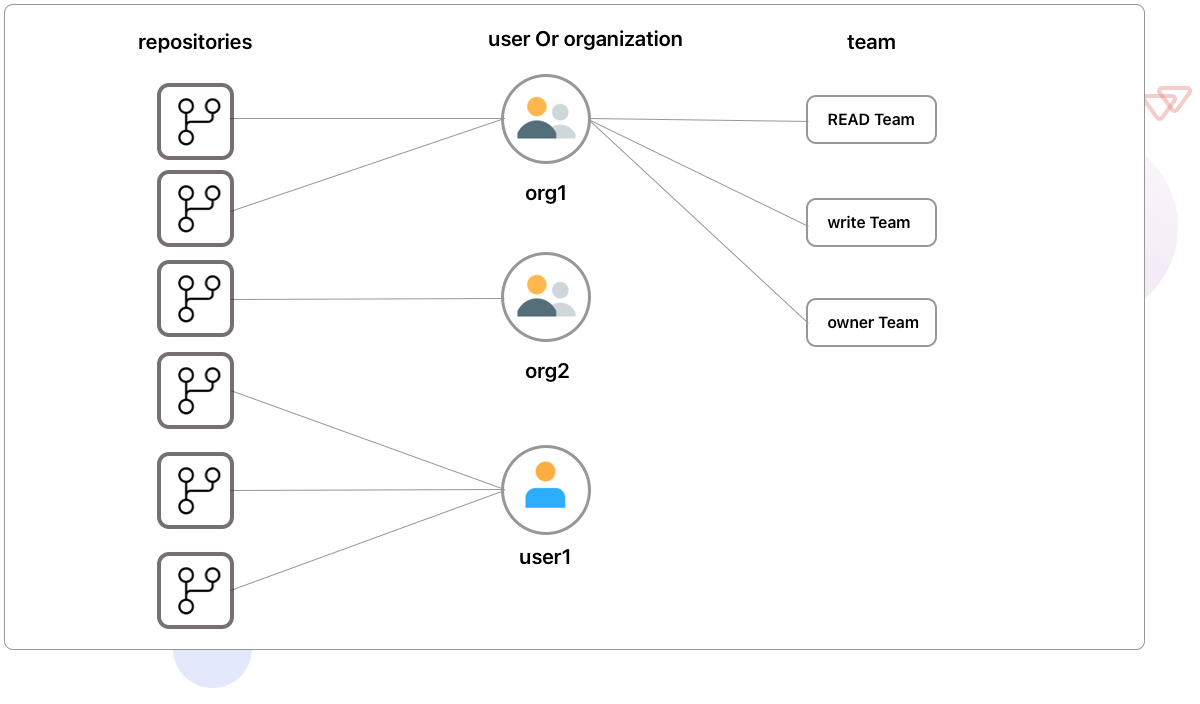
team organization

Assigning access to repositories for specific teams allows all members of that team to access the resources and permissions associated with that repository. This streamlines access and management, making it easier for team members to access the information they need while ensuring that permissions and security protocols are upheld.
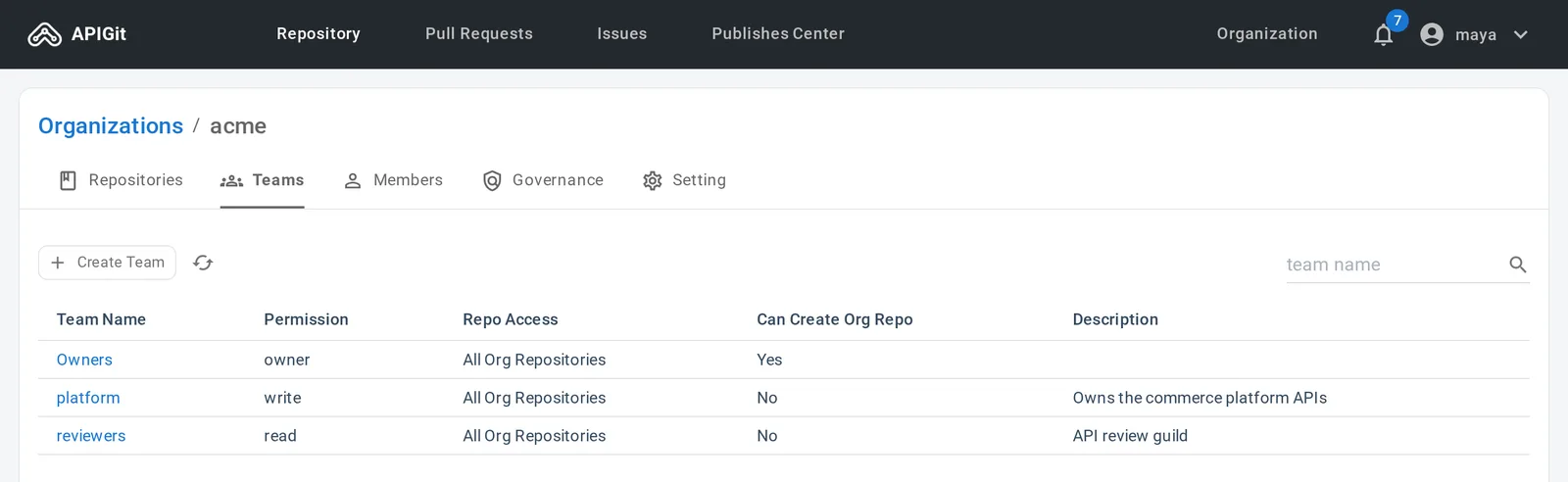
Teams of an organization

For the details, see Collaboration in APIGIT and Team Collaboration in APIGit.

More posts

  • Nov 6, 2026Enterprise SSO with OpenID Connect and verified domainsCollaboration
  • May 20, 2023Announcing APIGit Enterprise with single sign-on (SSO)Collaboration
  • May 15, 2023Team collaboration in APIGitCollaboration
All posts

Try it with your own API

Create a free workspace, add an OpenAPI file, and publish its documentation and a mock server from the same repository.

Start for free Book a demo

Free for individuals. No credit card.

$ npm install -g @apigit/cli$ apigit auth login$ apigit doc publish