Your APIs, readable by AI agents
Developers now ask an AI agent before they open your documentation. APIGit gives agents the same API documents your readers see, in the formats agents read: llms.txt, Markdown and an MCP server. Connect Claude, Cursor or VS Code to your account, and run APIGit from a terminal or CI with the apigit command line.
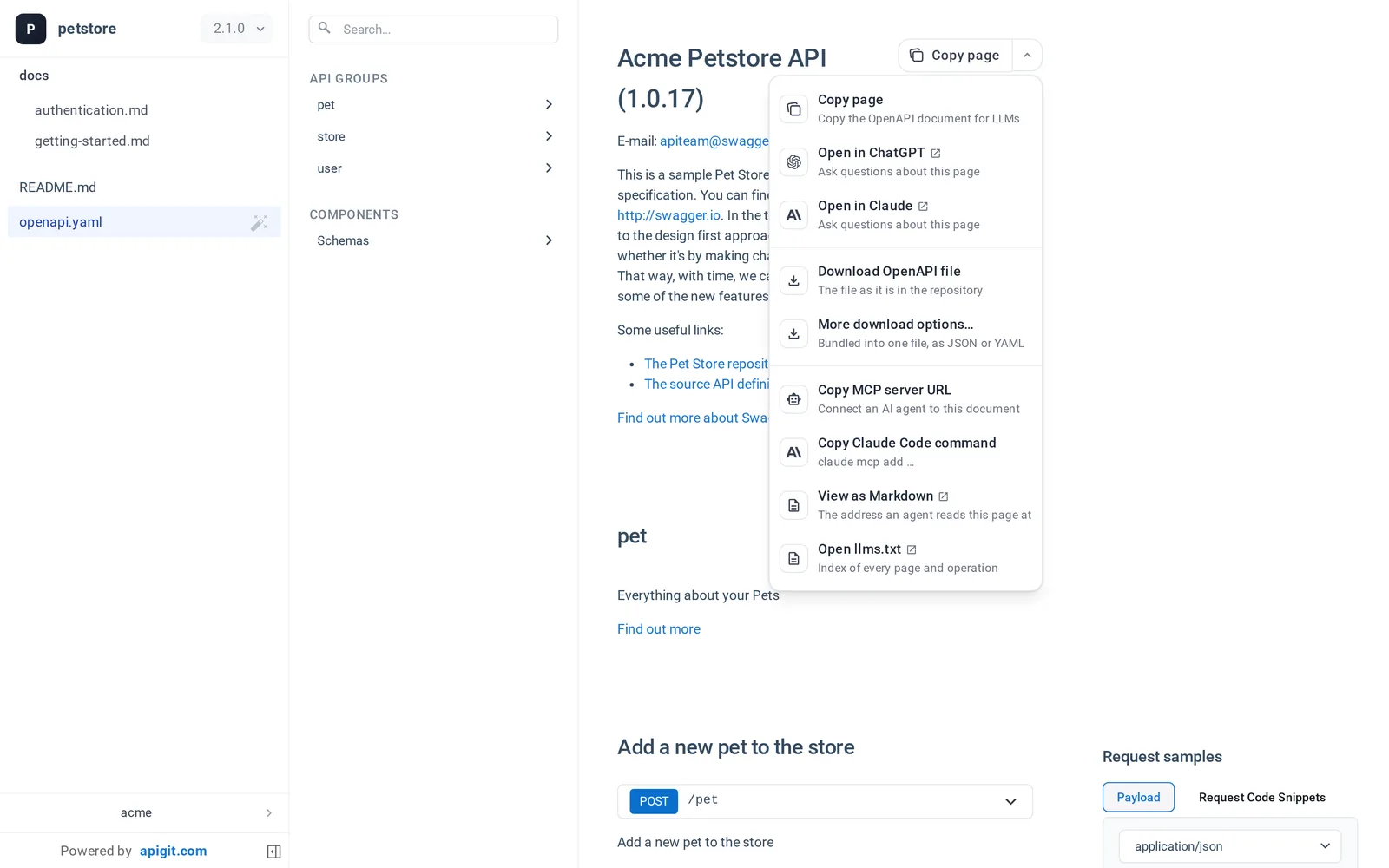
Every published document answers agents too
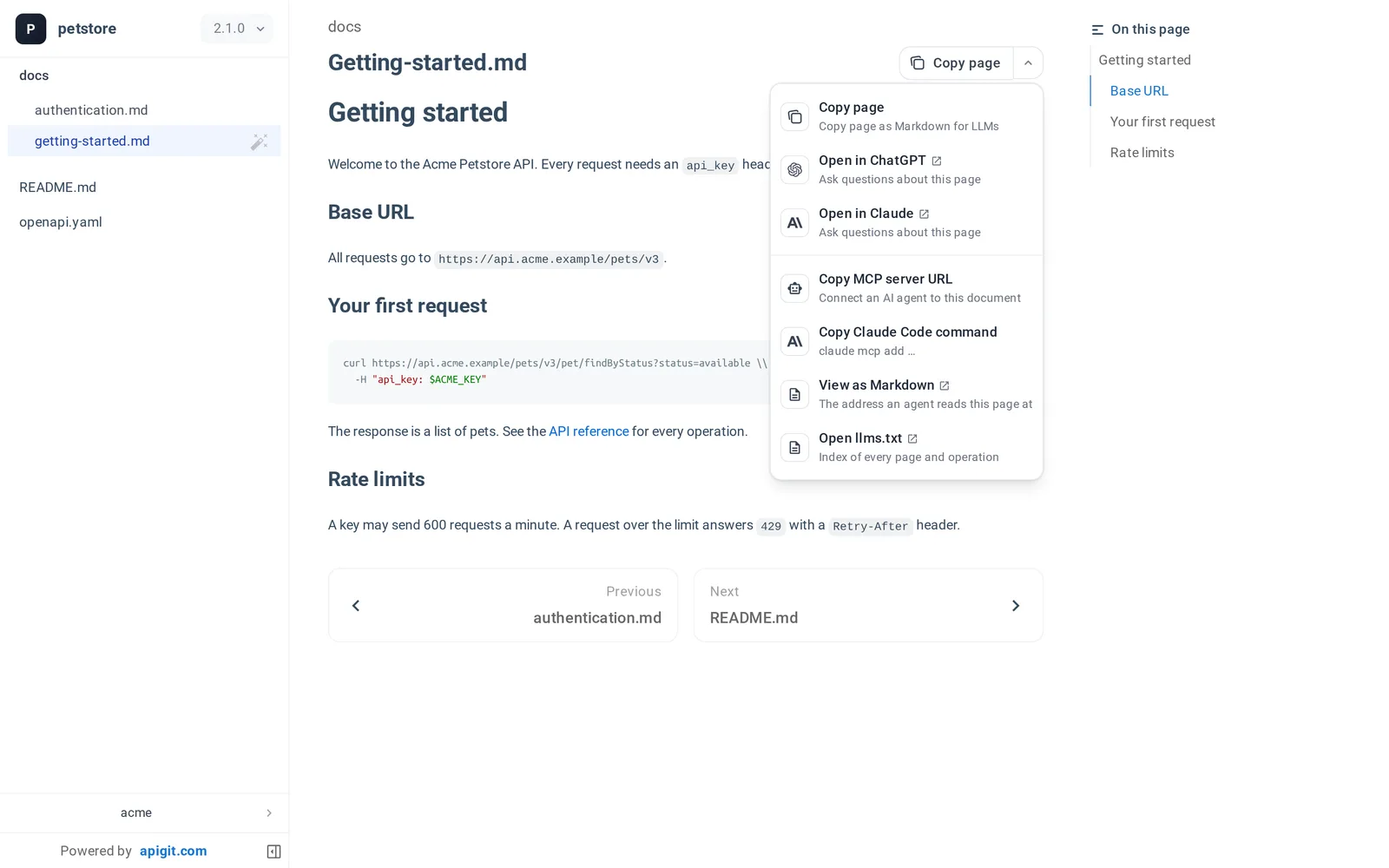
Publish a version once. People get the web page; agents get the same version as llms.txt, a Markdown page for every page, operation and schema, one bundled OpenAPI file, and a read-only MCP server. Nothing extra to publish, and the same access rules apply.
- Copy page on every page: copy it as Markdown, or open it in ChatGPT or Claude
- An MCP server with search, outline, operation and schema tools, sized for agents
- A public version needs no sign-in; a member-only version needs a token of someone who can open it
- One switch per repository turns agent access off
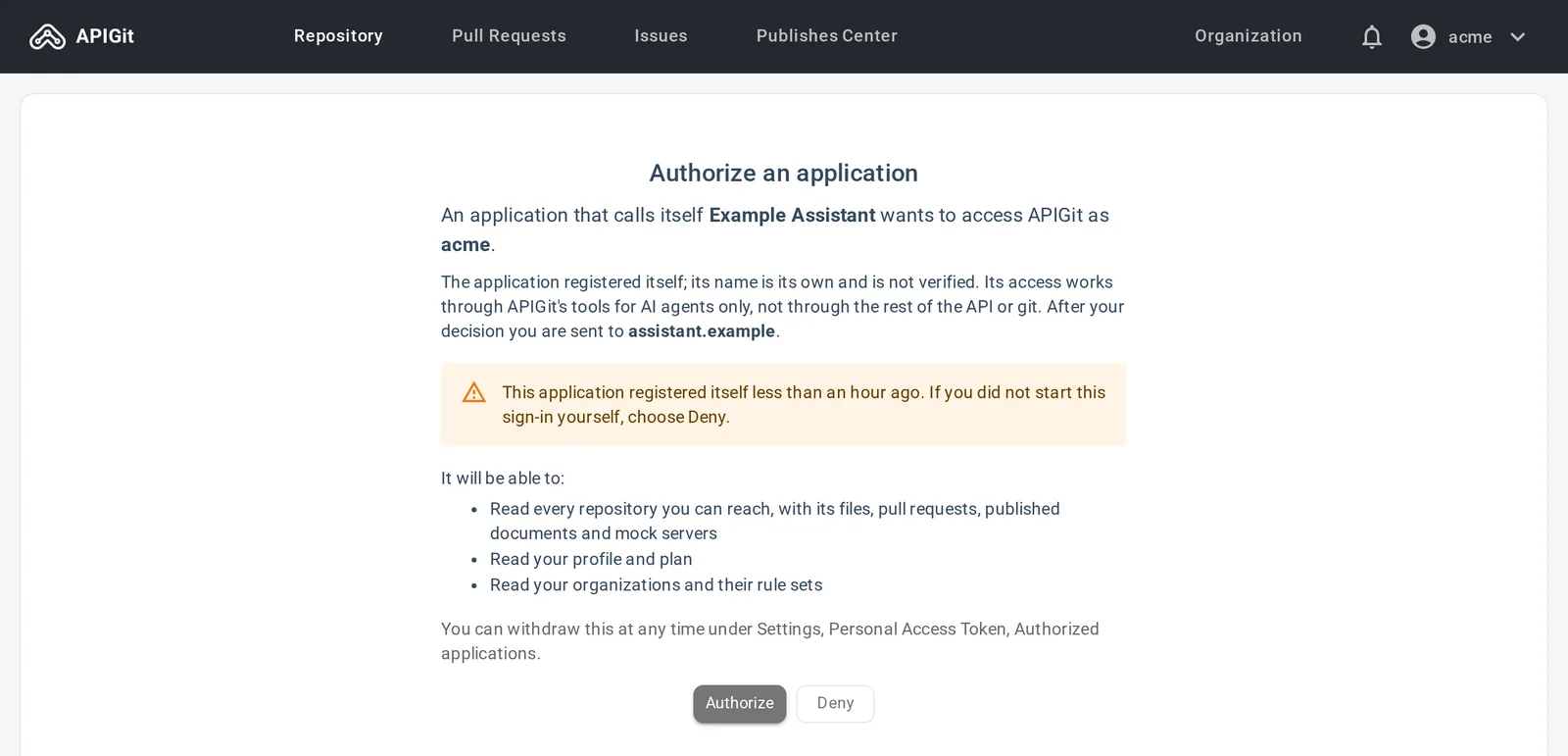
Connect an agent to your APIGit account
The APIGit MCP server lets an agent work with what you can see: repositories, OpenAPI files at any branch, tag or commit, the changes between two of them, pull requests, published documents, mock servers and your organization's governance rules.
- Chat applications sign in on a consent page that shows exactly what they ask for
- Coding agents use your CLI login, so no token sits in a configuration file
- Read-only by default; revoke an application at any time in Settings
Agents propose. People merge.
Turn on the write tools and an agent can fix a governance finding or draft a new endpoint for you. It works the way a careful colleague would: on a branch, through a pull request.
Branches and pull requests
An agent creates a branch, commits or patches files and opens a pull request. It never commits to the default branch or a protected branch, and it cannot merge.
Publishing stays private
An agent can publish or move a document version or a mock server. It can never make a document public or turn a mock server's access control off. Those stay with you.
Your permissions, nothing more
Every call is checked like the same action in the application, and each write tool is marked so your agent host can ask you before it runs one.
The apigit command line
Check OpenAPI files where you write them, with the same rule sets as the APIGit editor. No account is needed to lint, score, bundle or compare files. Sign in to publish documents and mock servers from the repositories you keep on APIGit.
lint,score,bundle,diffandbreakingwork offline- Fail a pull request on a breaking change, or require your organization's rule sets as a check
- GitHub Actions can sign in without a stored secret
- Free to use, no telemetry, and a ready Agent Skill for coding agents
npm install -g @apigit/cli

apigit lint openapi.yaml
apigit score openapi.yaml
apigit breaking origin/main HEAD openapi.yamlapigit auth login
apigit doc publish --version 1.2.0
apigit mock publish --name petstore --type spec --mount openapi.yaml
apigit agent setup # or --client cursor, vscodeMake your API documents agent-ready
Publish your OpenAPI documents on APIGit and every version is readable by people and by the AI agents they work with.