One workspace for the whole API team
An organization holds the repositories of a product or a partner program. Teams decide who can read, write, publish and administer them, and every change to a spec, a guide or a mock arrives as a pull request your colleagues review.
Organizations and colleagues are part of the Team and Enterprise plans. Team starts at 3 seats, with a 30-day trial. See pricing
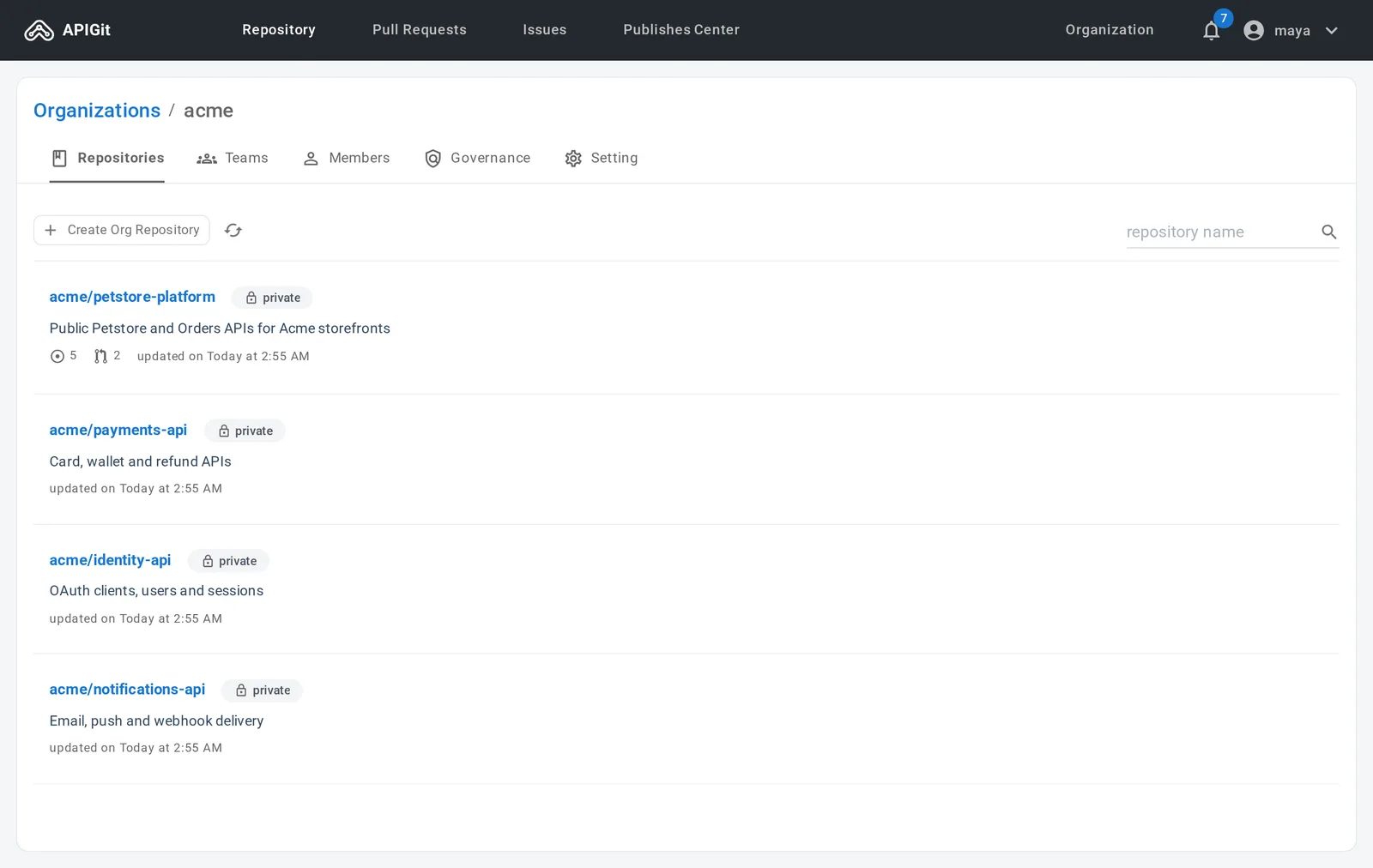
Organizations hold the repositories, teams hold the access
One subscription account can have several organizations, so each department, product line or partner program gets its own space.
An organization for each product or program
An organization owns API repositories the way a person does, and has its own members, teams and governance rules. Make it public, or private so that only its members see it. Everyone in the organization sees its repositories, teams and members; governance and settings are for the owner team.
- Repositories, teams, members and governance on one page
- Created by the account owner or an account admin
- An owner team is created with it, and the creator is its first member
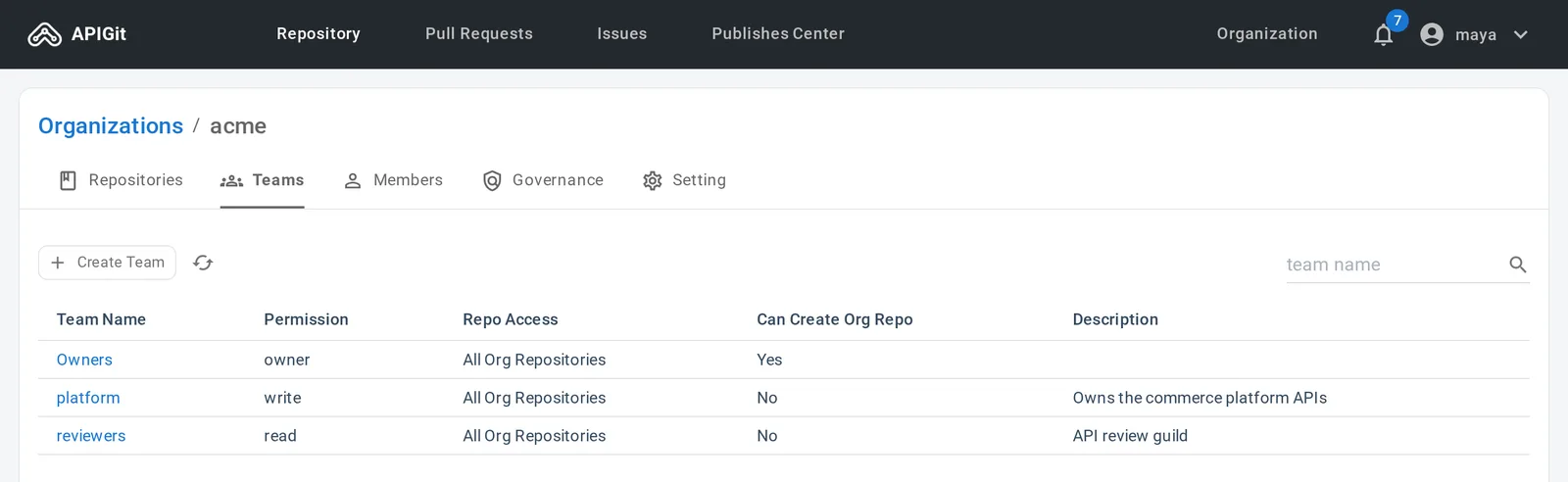
Teams that match the roles you have
Group colleagues into teams for reviewers, designers, technical writers or a partner, and give each team its own permissions. A team reaches every repository of the organization or only the ones you assign, and a repository's settings show which teams can open it.
- No access, read or write for each unit of a repository
- A person can be in several teams and gets the highest level from all of them
- Only the owner team creates, changes and deletes teams
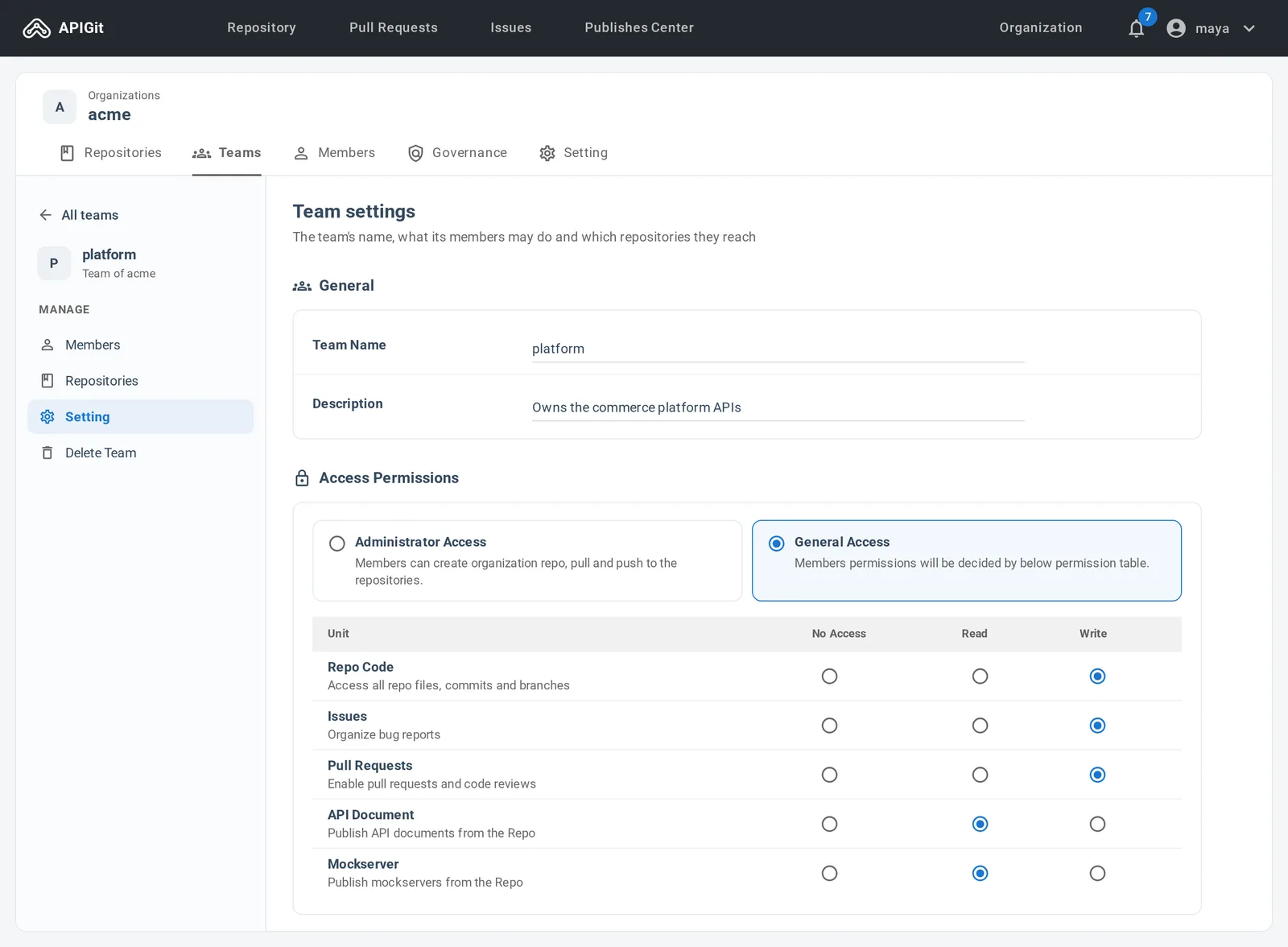
Permissions, down to the unit
Three kinds of team cover the people who run the organization, the people who administer its repositories, and everyone else.
| Team | Access | Repositories | Creates repositories | Manages |
|---|---|---|---|---|
| Owners | Full control | Every repository of the organization | Yes | Organization settings, teams and their members |
| Administrator access | Full administrative access | Every repository of the organization | Yes | Repository settings and access |
| General access | No access, read or write, set per unit | All repositories, or only the ones you assign | No | Nothing; members do the day-to-day work |
What read and write mean
A team with general access gets a level for each unit of a repository. Two more units, API Document and Mockserver, decide who may publish documentation and mock servers from it.
Repository settings are not a unit: changing settings and access takes administrator access. Permissions in detail
| Unit | Read | Write |
|---|---|---|
| Repo Code | View files, commits and branches | Push, and create or delete branches |
| Issues | View issues and open new ones | Add labels, assign people, close issues |
| Pull Requests | View pull requests and open new ones | Add labels, assign reviewers, merge or close |
Every API change is reviewed before it ships
Work on a branch, open a pull request, and let the team read the diff of the spec, the guides and the mock scripts together.
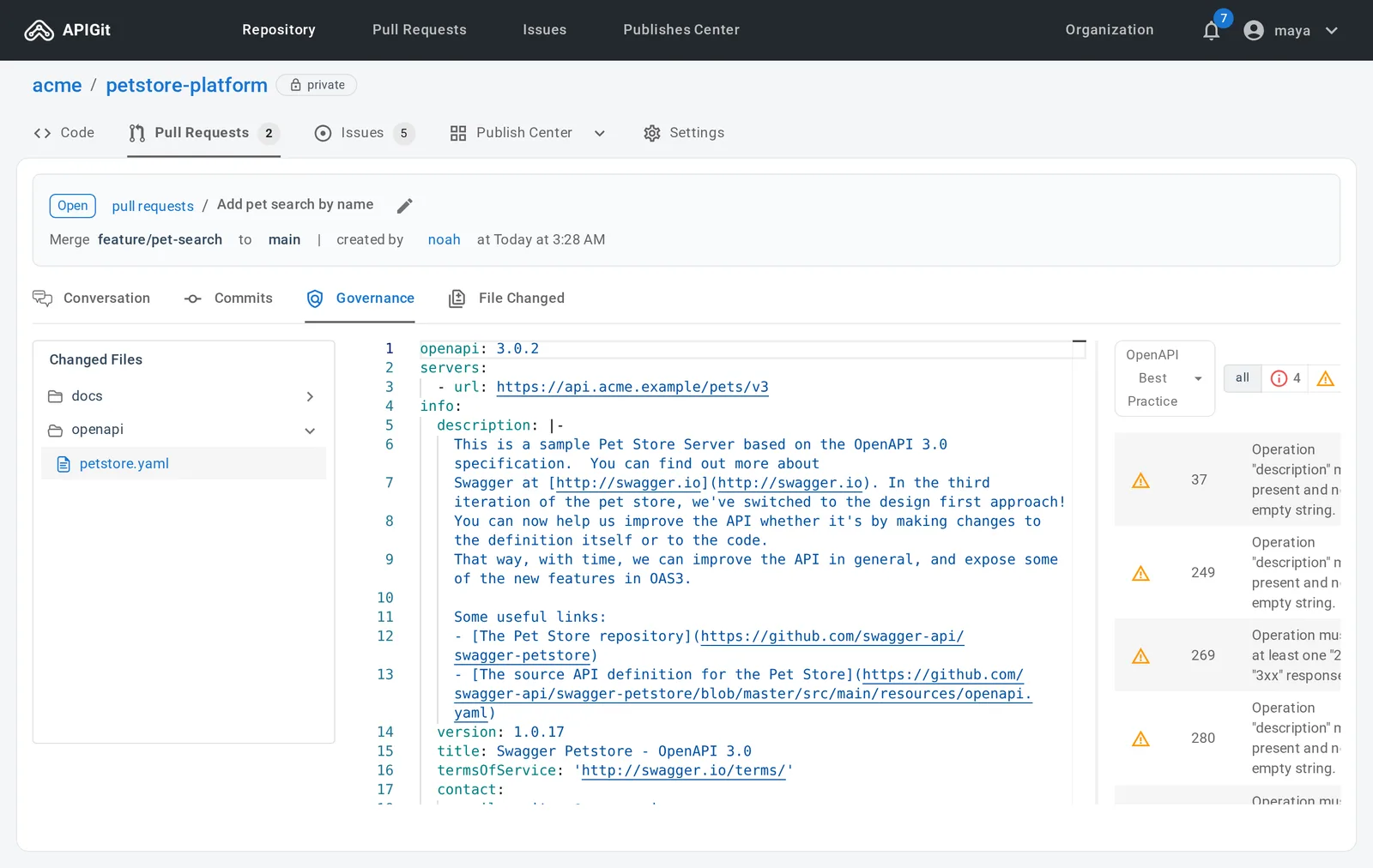
A pull request with the rule findings beside it
Request reviewers, set assignees and add labels. Reviewers go through the changed files and submit a comment, an approval or a request for changes. In an organization repository the Governance tab lists the rule violations in the changed files, so the merge decision is made with them in view.
- A conversation with a timeline of pushes, reviews and status changes
- Lists of pull requests assigned to you, created by you and waiting for your review
- Merge commit, rebase, squash or fast-forward only
Issues and labels
Track design questions, bugs and tasks in the repository they concern, with a Markdown description, comments, assignees and labels shared with pull requests.
Notifications
The bell in the top bar collects what happened on your issues and pull requests. Pin the ones to keep and mark the rest as read.
Rules for protected branches
On the Enterprise plan, a branch can require a number of approvals, count only reviews from the people or teams you name, and limit who may push and merge.
Seats, roles and sign-in
People join your subscription account as colleagues first, and are then added to teams. Each colleague uses one seat.
Three roles in the account
Account roles are separate from teams: they cover billing and people, while teams cover repositories.
- Owner
- Everything an admin can do, plus the plan, the payment method and invoices, and transferring the account. One per account.
- Admin
- Manage colleagues and invitations, create organizations, and set up single sign-on.
- Member
- Use a seat, and view the plan and its usage.
Add colleagues as you grow
Add someone who already has an APIGit account, or invite a new person by email. A pending invitation holds a seat until it is accepted, revoked, or expires after 7 days.
Single sign-on
On the Enterprise plan, colleagues sign in with your identity provider over OpenID Connect. You verify your email domain with a DNS record, and the APIGit team activates the integration.
Access tokens for Git, the CLI and CI
A personal access token stands in for a password in Git over HTTPS, the CLI and CI jobs. apigit auth login creates one for the terminal, and a GitHub Actions job can sign in without a stored token.
Authorized applications
Applications you approved, such as a chat application connected to the APIGit MCP server, are listed with what each may do. Revoking one ends its access at once.
Bring your API team into one workspace
Create an organization, add your colleagues to teams, and review your first API change together in a pull request.
Team plan from 3 seats, with a 30-day trial.
$ npm install -g @apigit/cli$ apigit auth login$ apigit doc publish