APIGit now renders AsyncAPI documents and GraphQL schemas alongside OpenAPI and Markdown. Keep your REST endpoints, event contracts, GraphQL types and guides in one Git repository, review them in the same pull request, and publish them as one versioned documentation site.
This release also brings one Redoc 3 viewer across the repository, editor previews and published documents. The separate Swagger UI viewer has been removed.
This post describes production availability on November 13, 2026. Additional format support is being tested; see upcoming support.
Add an event API or a GraphQL schema
Click + above the repository's file tree. The create-file dialog now has six file-type cards: OpenAPI Spec, AsyncAPI Spec, GraphQL Schema, JSON Schema Spec, Markdown Document and Navigation.
Choose AsyncAPI Spec to create a 3.0 starter or import a 2.x or 3.x document in YAML or JSON. Choose GraphQL Schema to create a starter or import SDL in a .graphql or .gql file. GraphQL introspection JSON is not an import format.
A schema is an ordinary source file:
"""An event subscription available to a customer."""
type SubscriptionPlan {
  id: ID!
  name: String!
}

type Query {
  plan(id: ID!): SubscriptionPlan
}
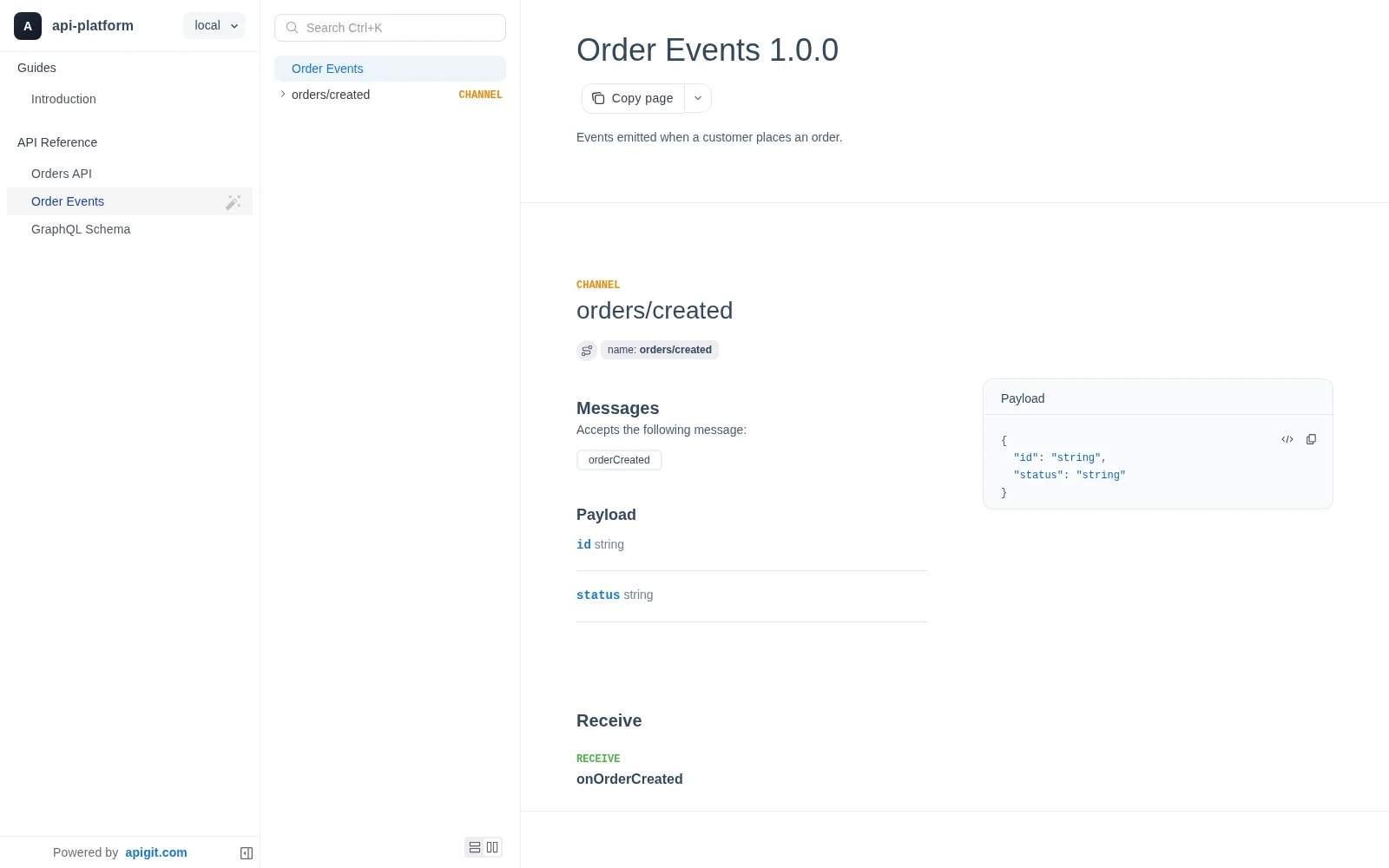
Edit source, review a diff, preview the reference
AsyncAPI and GraphQL have Code, Diff and Preview tabs. Code editing fills the panel and highlights the source. Diff shows what changed. Preview renders the working document with Redoc 3 before you commit it.
OpenAPI retains its Form and Governance tabs too. Its Code tab now also uses the full panel: open Preview to read the rendered reference rather than a Swagger pane beside the editor.
Publish all three formats together
Publish a document version from a commit as usual. It can contain OpenAPI, AsyncAPI, GraphQL and Markdown together, with the same navigation, themes and access settings. Add each file's repository path to apigit.json to organize the site.
Copy page copies an API document in its own format. The download item names that format, and GraphQL downloads preserve .graphql or .gql.
Prefer to edit locally? apigit preview uses the published-page viewer, downloaded and cached separately from the CLI. It shows your working copy before you commit, including your navigation and theme. The first run needs a connection to download the viewer; cached previews work offline.
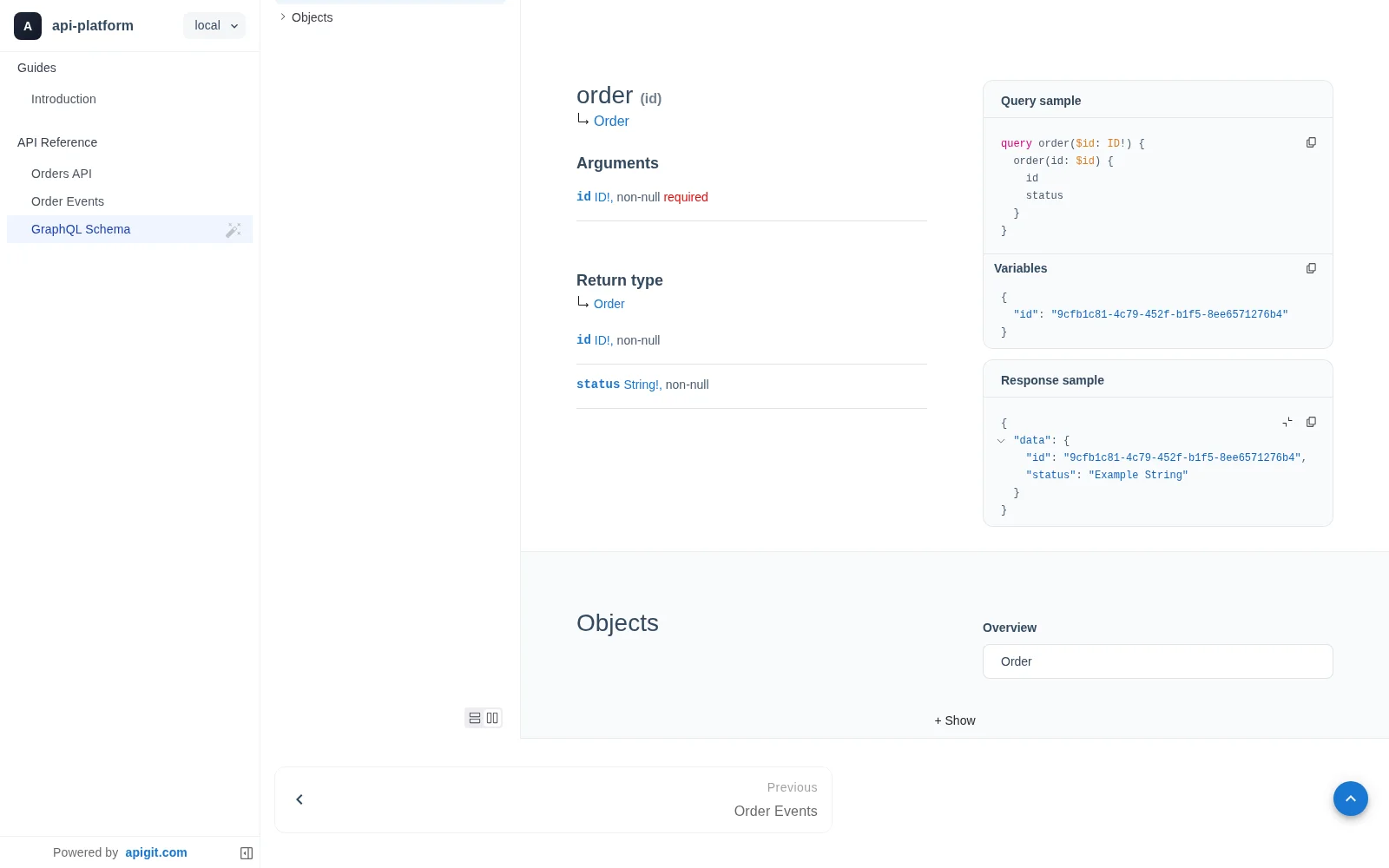
Which tools work with each format?
Viewing, code editing, diff, preview and publishing now cover all three formats. The tools around the OpenAPI reference keep their existing scope:
| Tool | Current support | |---|---| | Visual Form editor and governance checks | OpenAPI | | APIGit Try It Out, OpenAPI language snippets and model code generation | OpenAPI | | Spec-based mocks, on APIGit or through the local CLI | OpenAPI | | CLI lint, score, bundle and breaking-change checks | OpenAPI | | Automatic operation/schema Markdown, bundled spec endpoints and MCP API lookup | OpenAPI; Markdown guides also have agent outputs | | Copy page and source downloads | OpenAPI, AsyncAPI and GraphQL |
The AsyncAPI viewer documents event contracts; it does not run a broker. The GraphQL viewer documents SDL; it does not execute queries or provide a GraphQL mock. Give copied source files to your coding agent when working with these formats.
What happens to Swagger files and old links?
Swagger 2.0 files are still accepted and converted to OpenAPI for rendering and editing. Swagger UI was the removed viewer, rather than an import format. Saved links that selected Swagger UI open the default reference. A document that cannot render shows the error and source text.
Start with Supported API Formats, Import or Migrate Files, or Publishing an API Document.
What is next
Follow-ups are built for testing but have not been released: agent-readable Markdown for AsyncAPI and GraphQL, AsyncAPI lint checks, CLI GraphQL validation, and hosted GraphQL mocks. They are separate from the viewing and editing release described here.
The upcoming GraphQL mock answers queries and mutations with generated values; it does not keep mutation state or support subscriptions. Local GraphQL mocking and OpenAPI-style per-operation agent endpoints are outside those follow-ups. See Upcoming support for the boundaries.
Related Posts
What Are the Components of an API?
This article explains the different components of a REST API by following a request from end to end. An API client is responsible for assembling and directing an API request to the API server. An API request to a REST API consists of an endpoint, method, parameters, request headers, and a request body. The API server handles authentication, validates input data, retrieves or manipulates data from a database, and returns the appropriate response to the client. An API response typically includes a status code, response headers, and a body. API status codes are used to provide information to the client about the outcome of the request and to help the client understand how to proceed. Response headers and bodies provide additional information and data about the response.
Reusing OpenAPI Components
OpenAPI component reuse promotes consistency, reduces duplication, and simplifies maintenance by allowing developers to define schemas, parameters, and responses once and reference them throughout API specifications.
An Introduction to oneOf, allOf and anyOf in OpenAPI
OpenAPI's oneOf, allOf, and anyOf keywords provide powerful schema composition capabilities, allowing for flexible API design through inheritance, polymorphism, and conditional validation.
Ready to get started with APIGit?
Create a free workspace, add an OpenAPI file and publish your first API document and mock server in minutes.