A mock that answers 200 to everything is pleasant until the real API arrives and your client breaks. A spec-based mock server on APIGit does the opposite: it checks each request against your OpenAPI document and tells you exactly what does not match, so integration mistakes surface while you develop.
Three checks, all on by default
| Check | What it verifies | On failure |
|---|---|---|
| parameters | Required path, query, header and cookie parameters, and their schemas | 422 |
| body | The request body against the schema of its media type | 422 |
| credentials | The credentials the operation's security requires are present | 401 |
Send /api/v3/pet/abc with the api_key header when petId is declared as an integer, and the mock names the problem:
{
  "type": "https://apigit.com/mock/problems/invalid-request",
  "title": "The request does not match the API description",
  "status": 422,
  "detail": "The request does not match getPetById: path petId: must be integer",
  "errors": [{ "in": "path", "name": "petId", "message": "must be integer" }]
}
Credentials are checked for presence only. Any value passes, so you can use a placeholder.
Errors you can tell apart
When the mock itself rejects a request or has nothing to answer with, it uses application/problem+json (RFC 9457). That makes these answers easy to tell from your API's own responses. Each one has a type you can look up, and fields that help you fix it. A path under no base path gets 404 no-base-path, with the list of base paths. A path that exists without that method gets 405, with an Allow header. The error reference lists them all. Errors from the platform in front of the mock, such as a missing access token, an unknown mock or a rate limit, are plain application/json.
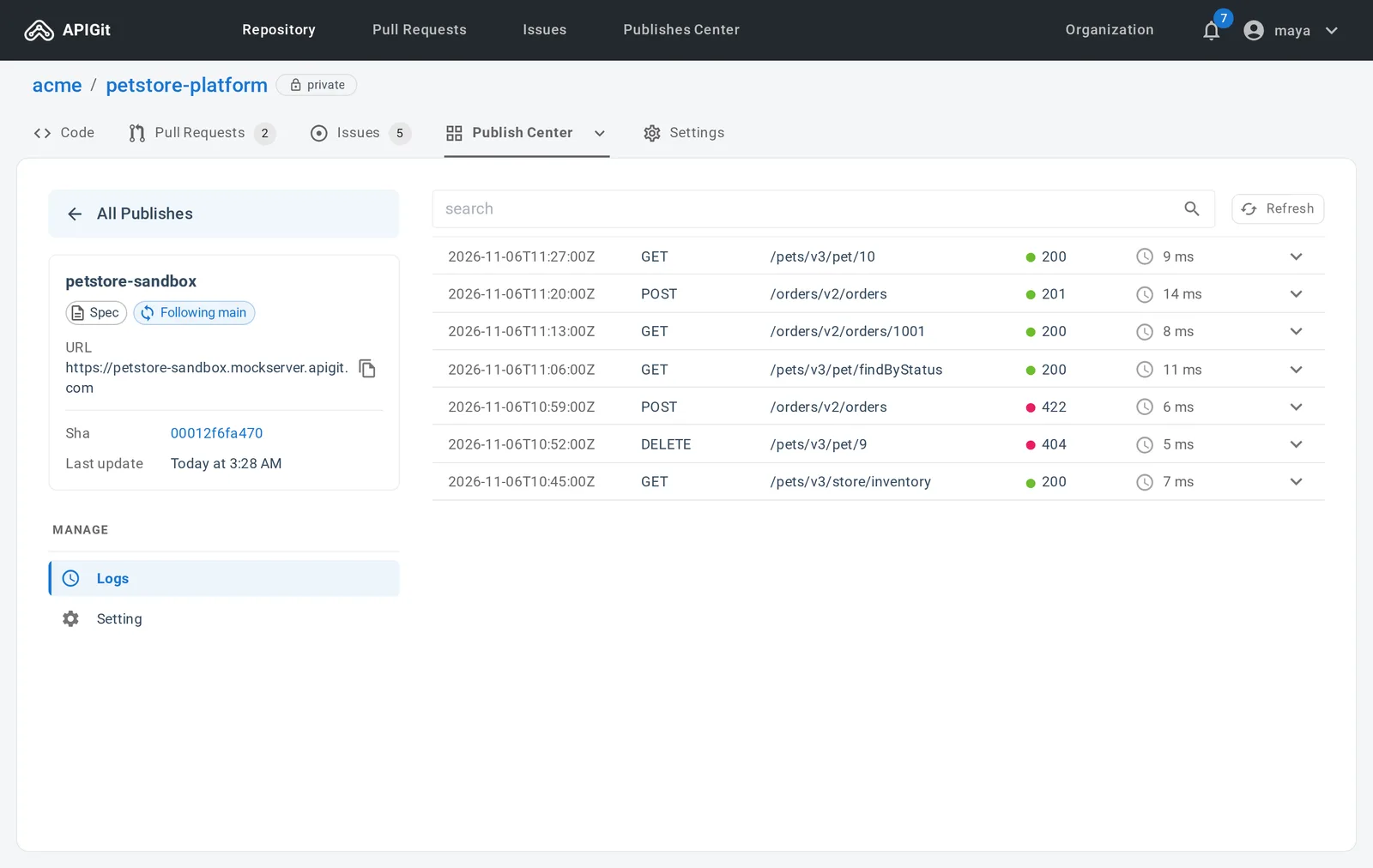
The Logs view shows every request with its status, so a 422 from a client you do not control is easy to find.
Ask for the response you want
The Prefer header lets a client pick its answer, which is how you exercise error handling without changing the mock:
| Header | Effect |
|---|---|
| Prefer: code=404 | Answer with this declared status |
| Prefer: example=sold | Answer with this named example |
| Prefer: dynamic=true | Generate random, realistic values |
| Prefer: validate=false | Skip every check on this request |
| Prefer: validate=body | Run only the named checks |
Combine them with commas, as in Prefer: code=200, example=sold. Asking for something the operation does not declare is an error, not a silent fallback: the answer is a 422 that lists the statuses it does declare. The code, example and dynamic preferences use the same conventions as Prism, so tests written for Prism carry over.
Turn a check off
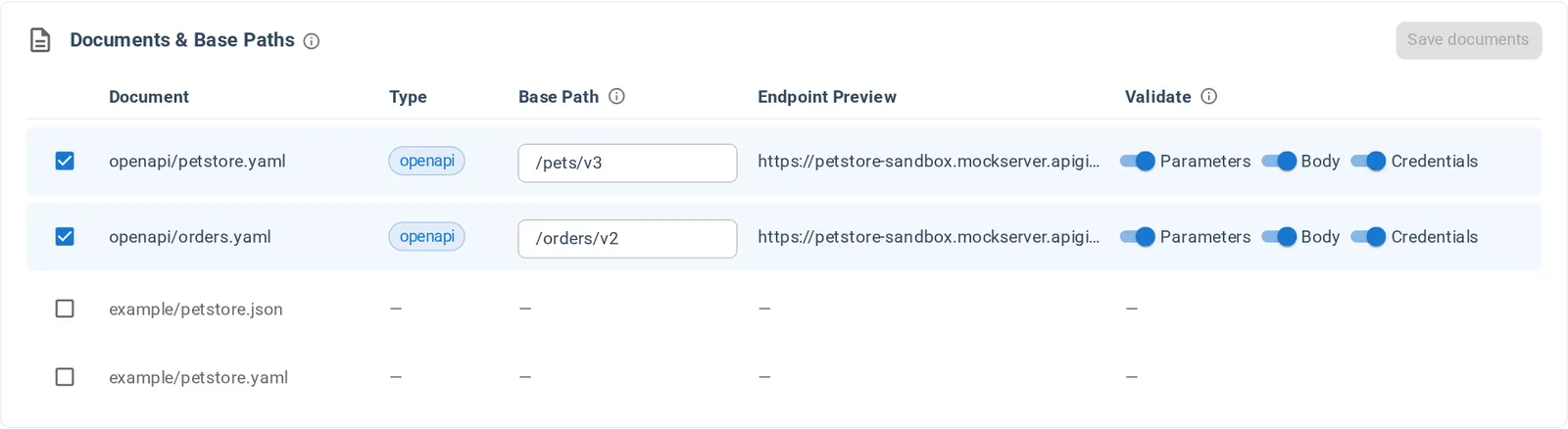
Open the mock server, choose Setting, and use the Validate switches of each document under Documents & Base Paths. Each of the three checks has its own switch, and a change applies after Save documents, without a republish.
See Request validation, Responses and Error responses for the details.
Related Posts
Spec-Based Mock Servers: A Working Mock from Your OpenAPI Document
Publish a mock server from your OpenAPI documents without writing code. It validates requests, answers from your examples and schemas, and works on every plan.
Spec-Based or Code-Based: Which Mock Server Do You Need?
APIGit has two types of mock server. Here is how they differ, when each one fits, and how to run both from one repository.
Pin or Follow a Branch: Mock Servers and Published Documents
Keep a mock server or a document on one commit, or let it follow a branch. Run several versions from one commit, such as a pinned 2.1 next to a following next.
Ready to get started with APIGIT?
Join thousands of developers and teams who are already using APIGIT to streamline their API development workflow.