Plenty of API questions now start in an AI assistant. "How do I authenticate against this API?" gets a much better answer when the assistant has the real documentation in front of it. APIGit has a small feature for exactly that, and this post is honest about what it is and what it is not.
What it is
Markdown pages of a published API document have a Copy page button above the content. Its menu has three items:
- Copy page copies the page as Markdown, ready to paste into any assistant.
- Open in ChatGPT opens ChatGPT in a new tab, with the page in the prompt.
- Open in Claude opens Claude in a new tab, with the page in the prompt.
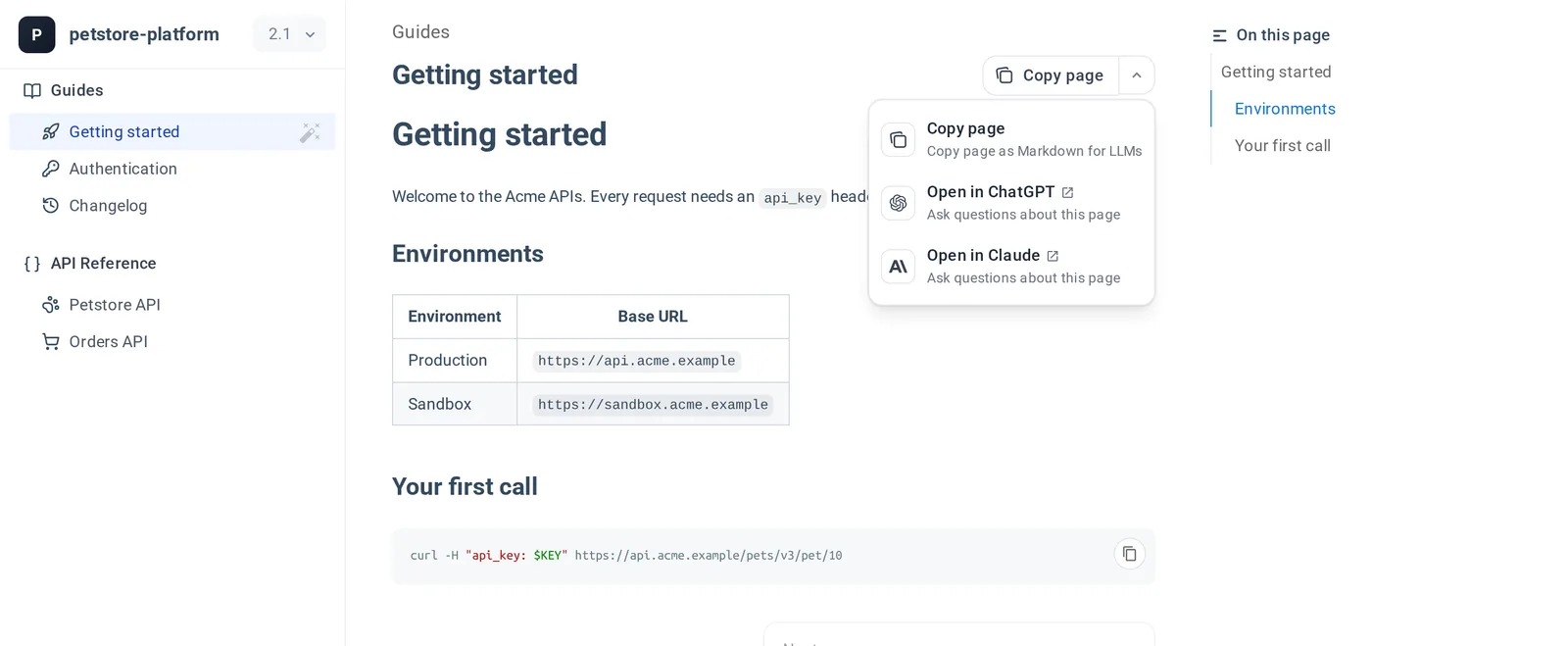
The two Open in items start the conversation with this prompt, followed by the page:
Please read this documentation content so I can ask questions about it:
You can then ask your question there, in your own account with that service.
What it is not
APIGit has no built-in AI. There is no assistant inside the product, no model behind this button, and no AI writing your specs or your mock servers. The button only gets your documentation to a tool you already use. The conversation happens on that tool's site, under its terms.
Why Markdown and OpenAPI work well here
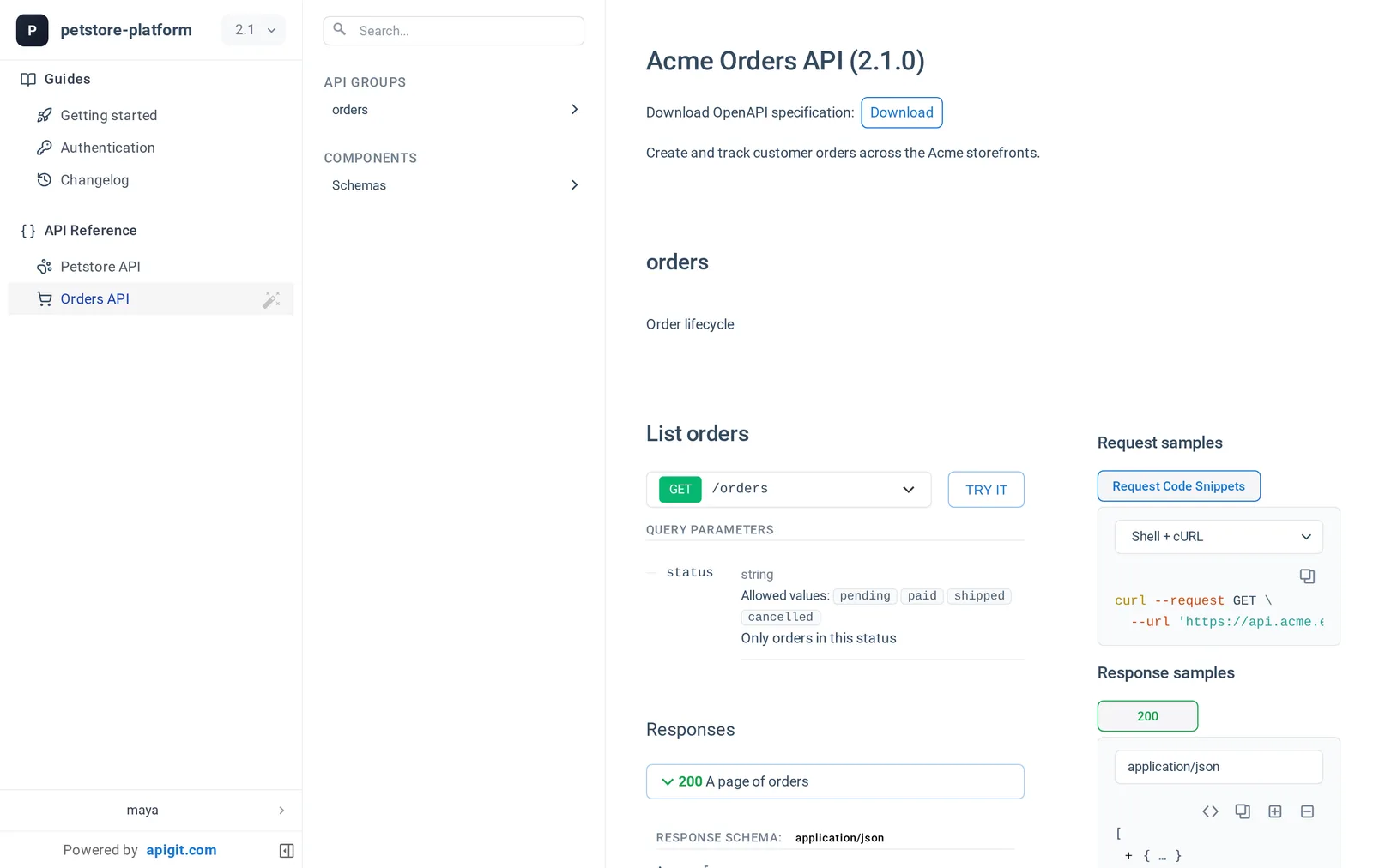
Markdown is plain text, so a copied page arrives in an assistant with its headings, tables and code blocks intact. That is one benefit of keeping documentation in a Git repository, in open formats. Your API specification is a plain OpenAPI file for the same reason: readers can use Download on the document to get it, and hand it to whichever tool they like.
A few things to keep in mind
- Private documents. Copy page and Open in send the page's content to the AI service you choose. Only do that with content you are allowed to share with it. The Open in items put the content in the address of the new tab, so a very long page may not arrive whole. If that happens, use Copy page and paste it.
- Check the answers. An assistant can be wrong about your API, even with the docs in front of it. Try what it tells you. A mock server published from the same spec is a safe place to do so.
Get it on your documents
There is nothing to switch on. Add Markdown files to your repository, and publish your API document. See Markdown and Components for what you can put in those pages.
Related Posts
View API Documents in Different Modes
APIGit suports different viewer modes for an API documents. it is easy for you to switch viewers among of them
Navigation Customization for Published Documents
Navigation customization for published API documents allows organizations to create intuitive, branded experiences that enhance user engagement and streamline access to critical information.
Custom Domain and Branding
APIGit's custom domain and branding features allow organizations to create professional, branded API portals that seamlessly integrate with their existing digital presence.
Ready to get started with APIGIT?
Join thousands of developers and teams who are already using APIGIT to streamline their API development workflow.