Pull requests are where API changes get reviewed, so we spent time making them better. Here is what is new when you open one in APIGit.
See what happened, in order
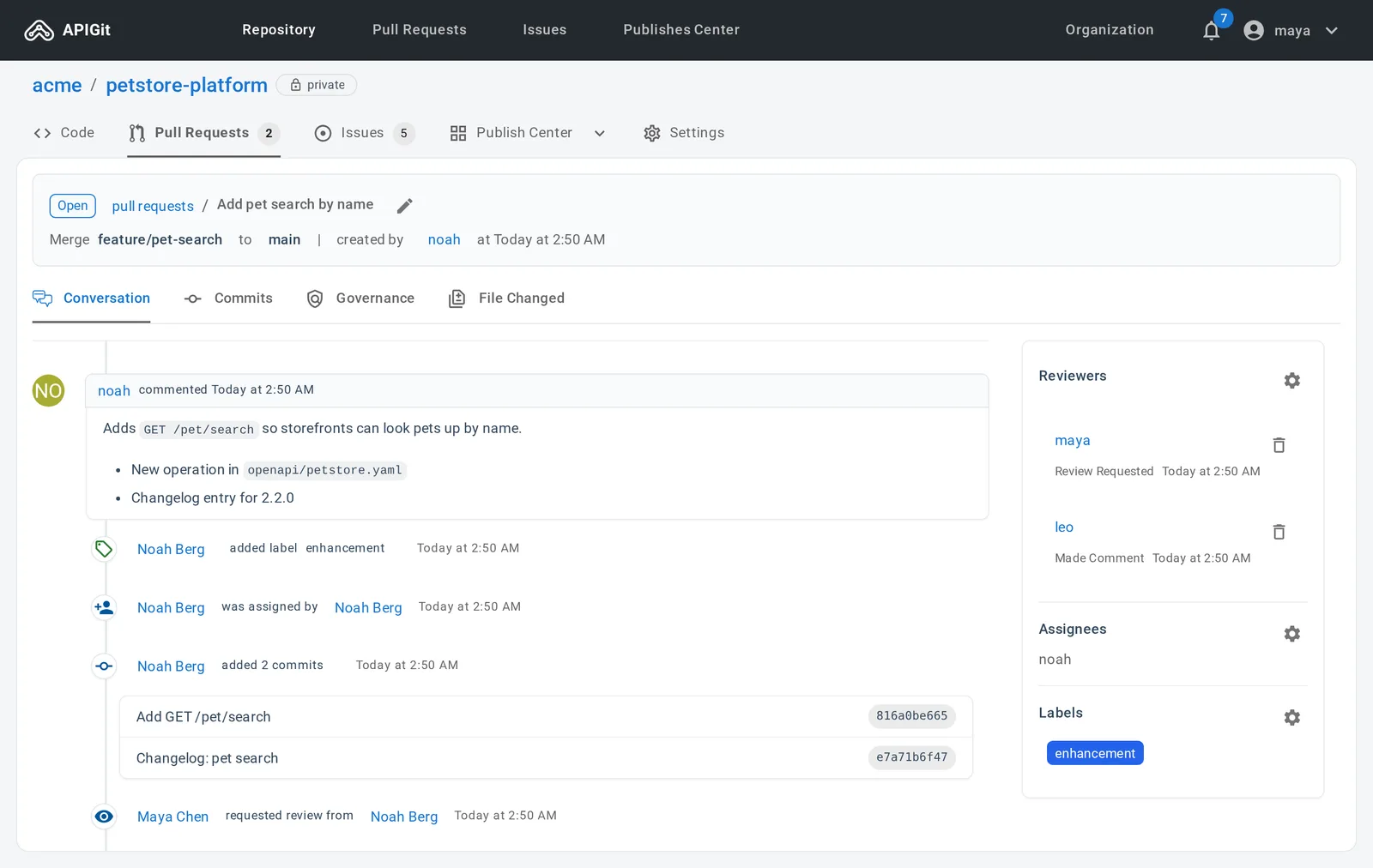
The Conversation tab now includes commit events in the timeline. When someone pushes to the branch, the new commits appear between the comments, labels and review requests, so you can see which comment came before which change.
A file tree for the diff
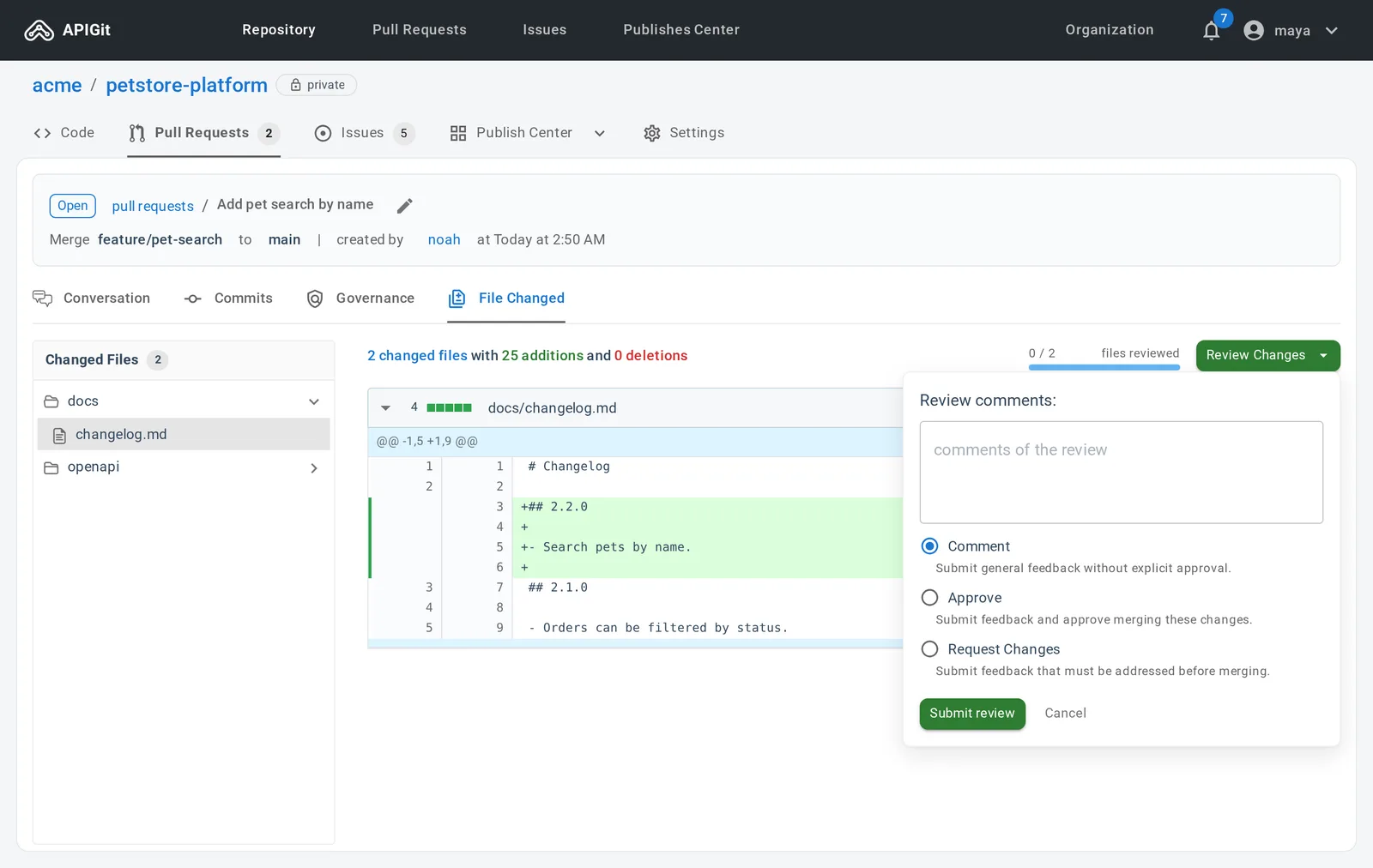
The File Changed tab has a Changed Files tree on the left, so a large pull request is easy to walk through. Each file shows its diff in Unified or Split form, and a Viewed checkbox tracks your progress, with a count at the top. APIGit remembers what you have viewed.
Review in one place
Click Review Changes to write your review. Choose Comment for general feedback, Approve to approve merging, or Request Changes for feedback that must be addressed first.
Keep the branch up to date
When a pull request's branch falls behind its base branch, the merge area says so and offers Update branch by merge, and a rebase option when that is allowed. You no longer need to leave the browser to bring a branch up to date.
Choose how to merge
The merge button is now a dropdown of the styles your repository allows, in plain words:
- Create merge commit
- Rebase then fast-forward
- Rebase then create merge commit
- Create squash commit
- Fast-forward only
On the Enterprise plan, a branch protection rule decides when a pull request can be merged, for example after a set number of approvals.
Checks that recover
Before a pull request can merge, APIGit checks whether it merges cleanly. That check now retries by itself after a temporary failure. If it still fails, the pull request shows a "check failed" card with a Retry button, instead of leaving the pull request stuck in checking. The pull request list marks a conflict on open pull requests, so you can spot it before you open one.
Governance on the pull request
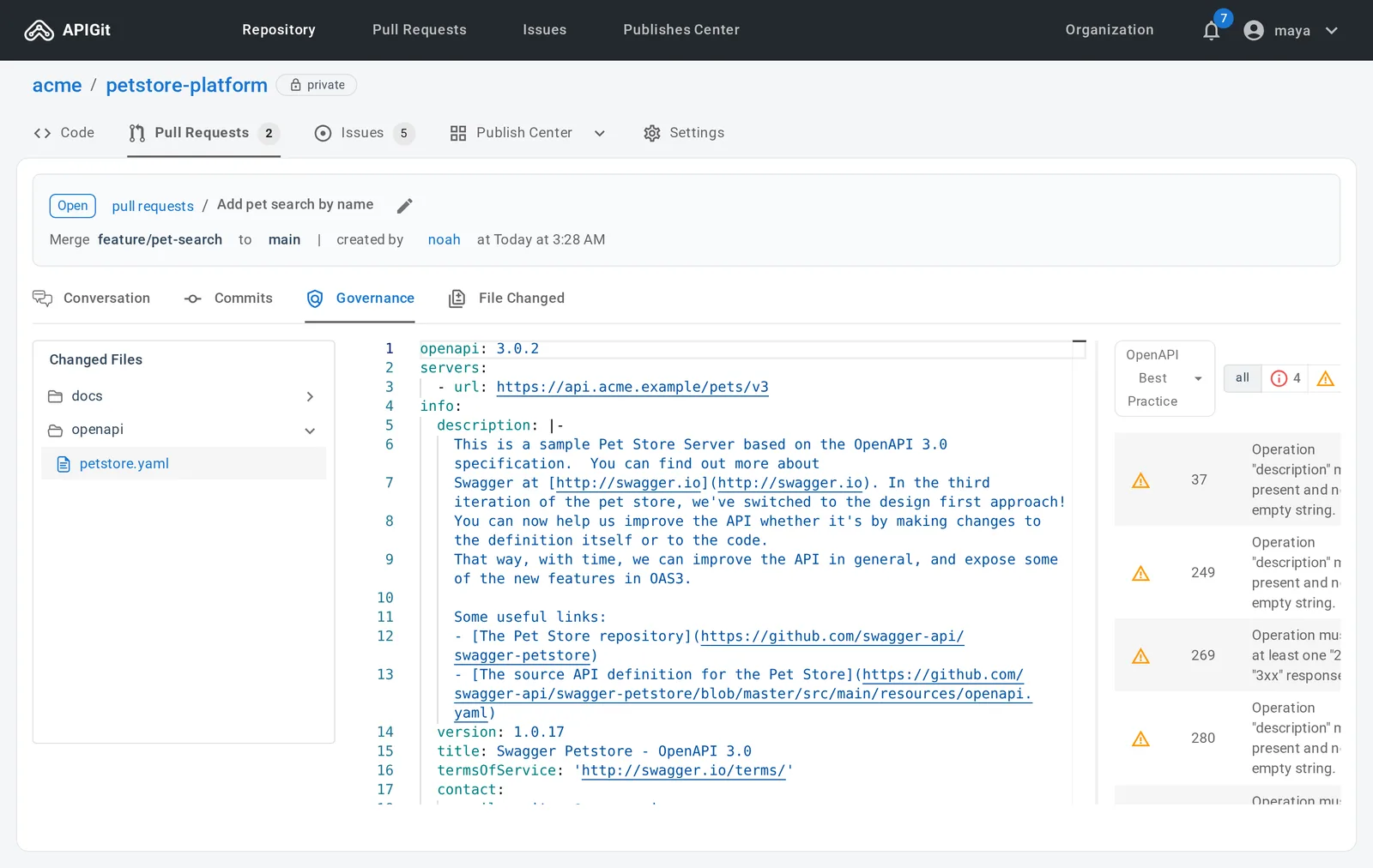
In organization repositories, the Governance tab of a pull request shows the API governance violations in the changed files, right next to the rest of the review.
See Working with Pull Requests to learn more.
Related Posts
Edit Many Files, Commit Once
Edits in APIGit now stay as drafts across files. Review them together, choose what goes in, and commit them as one commit, with conflicts resolved line by line.
SSH Access, Deploy Keys and Repository Tokens
Clone and push over SSH at git.apigit.com, give a server access to one repository with a deploy key, and use personal access tokens limited to repositories.
API Repository
APIs have become a vital part of modern software and business infrastructure, enabling organizations to expand the capabilities of software and improve integration with external services. The process of API development involves several stages, including planning, designing, developing, testing, deploying, and maintaining APIs. The API producer is responsible for creating and managing the API, while the API consumer utilizes the API to build applications or integrate with existing software. Apigit's API Platform is designed to help organizations navigate the API development and management process more effectively, with native Git support and streamlined collaboration. By leveraging Apigit's capabilities, businesses can improve operational efficiency, integration with external services, and stay competitive in the rapidly evolving digital landscape.
Ready to get started with APIGIT?
Join thousands of developers and teams who are already using APIGIT to streamline their API development workflow.