An API change rarely touches one file. A new endpoint can mean a change to the spec, a new schema file, a paragraph in the changelog and a mock route. In APIGit, you can now make all of those edits, review them together and commit them as one commit from the browser.
Edits become drafts
Click the edit icon on a repository to enter edit mode. Move between files as you like: every change stays as a draft, and nothing reaches the branch until you commit. Drafts are kept in your browser, so a reload does not lose them. The file list marks what changed, and the Changes tab next to Files lists every file with a draft.
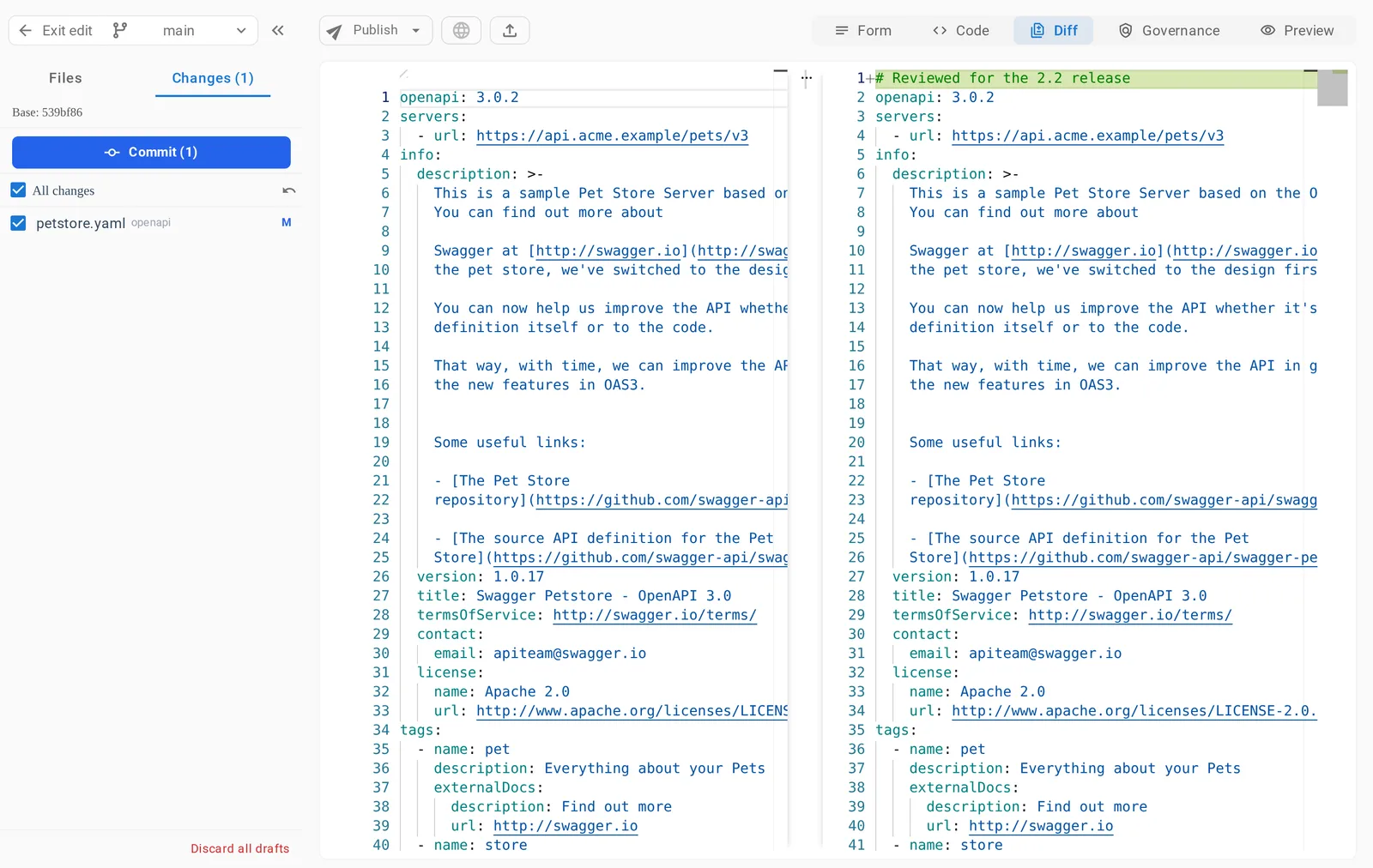
Structural changes join the same draft. In edit mode, renaming, deleting or adding a file is staged with your other edits instead of being committed at once. Clicking a row in Changes takes you to that file.
Choose what goes in
Each file in Changes has a checkbox, so one commit can hold only the files that belong together. Revert one file to drop its edits, or use Discard all drafts to start over.
The Diff view compares your work with where you started, so you can read the change as a reviewer would before it is committed.
Commit in one step
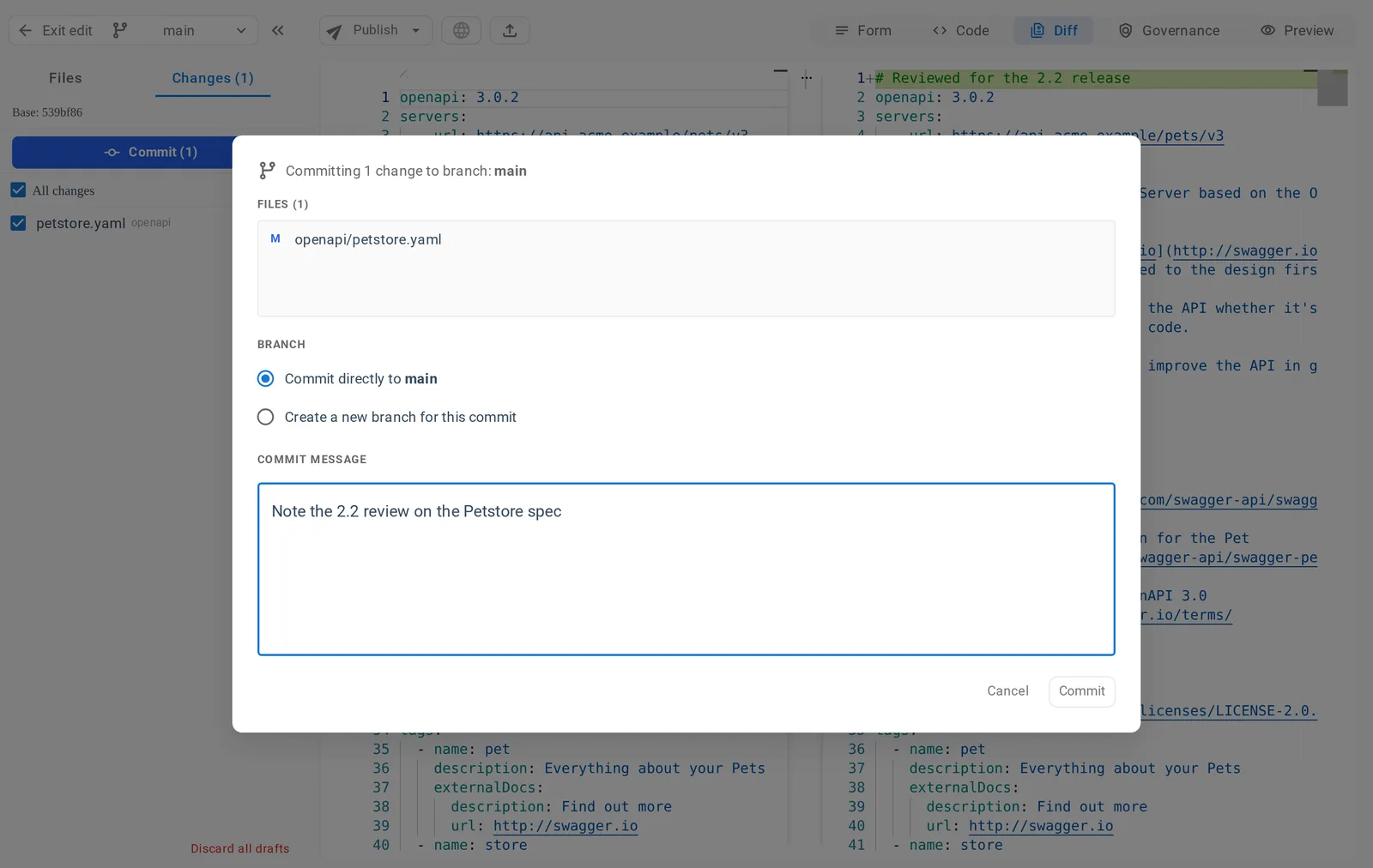
Click Commit. The dialog lists the files in the commit, and asks for a message and for where it should go: straight to the current branch, or to a new branch. A new branch is the natural start of a pull request, and the editor moves to it after the commit. Mirror repositories do not offer the new-branch option.
When someone else got there first
If a file changed on the branch while you were working, APIGit compares three versions: where you started, your draft and the branch. Edits that do not overlap are merged for you. Real conflicts are marked line by line, a banner names the conflict, and you resolve it before committing. The commit stays disabled until every conflict is resolved, so another person's work is never overwritten by accident.
Good to know
- Commits from the editor are ordinary Git commits. They appear in the history, and a mock server or document that follows the branch updates with them.
- Drafts live in the browser you are working in, so they do not follow you to another computer.
See Making Changes and Commits to learn more, and follow a branch to see your commits reach a mock server automatically.
Related Posts
Pull Request Upgrades in APIGit
Commit events in the timeline, a file tree for the diff, update branch, a merge style dropdown and checks that recover from temporary failures.
SSH Access, Deploy Keys and Repository Tokens
Clone and push over SSH at git.apigit.com, give a server access to one repository with a deploy key, and use personal access tokens limited to repositories.
API Repository
APIs have become a vital part of modern software and business infrastructure, enabling organizations to expand the capabilities of software and improve integration with external services. The process of API development involves several stages, including planning, designing, developing, testing, deploying, and maintaining APIs. The API producer is responsible for creating and managing the API, while the API consumer utilizes the API to build applications or integrate with existing software. Apigit's API Platform is designed to help organizations navigate the API development and management process more effectively, with native Git support and streamlined collaboration. By leveraging Apigit's capabilities, businesses can improve operational efficiency, integration with external services, and stay competitive in the rapidly evolving digital landscape.
Ready to get started with APIGIT?
Join thousands of developers and teams who are already using APIGIT to streamline their API development workflow.